Extension Marketplace
Install editors and tools built by the community, or build your own for any data or workflow, optionally collaborative with your team. Nimbalyst's own diagram editor, mockup editor, data models, and planning commands are extensions from this same system.
Featured
Animation
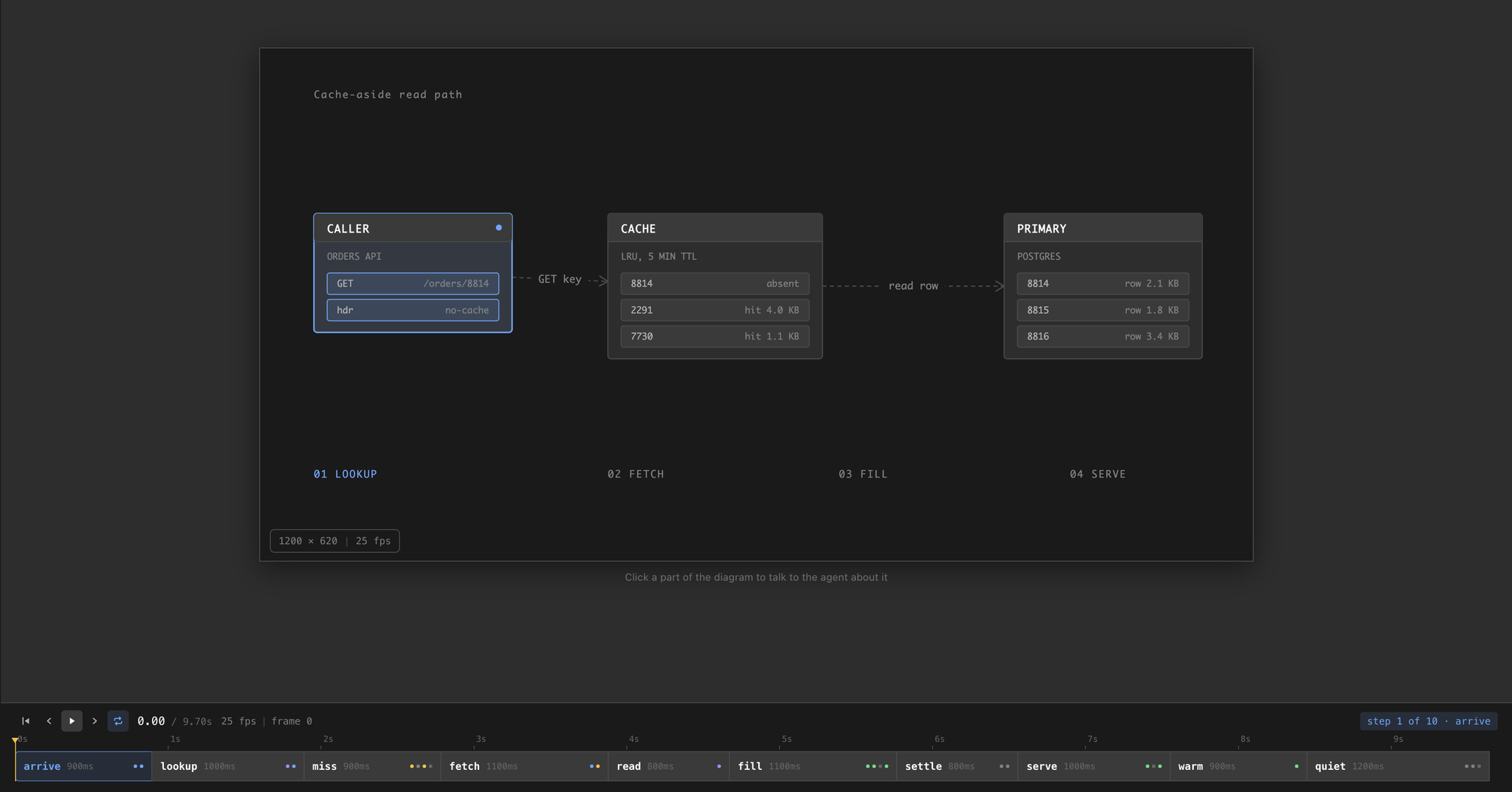
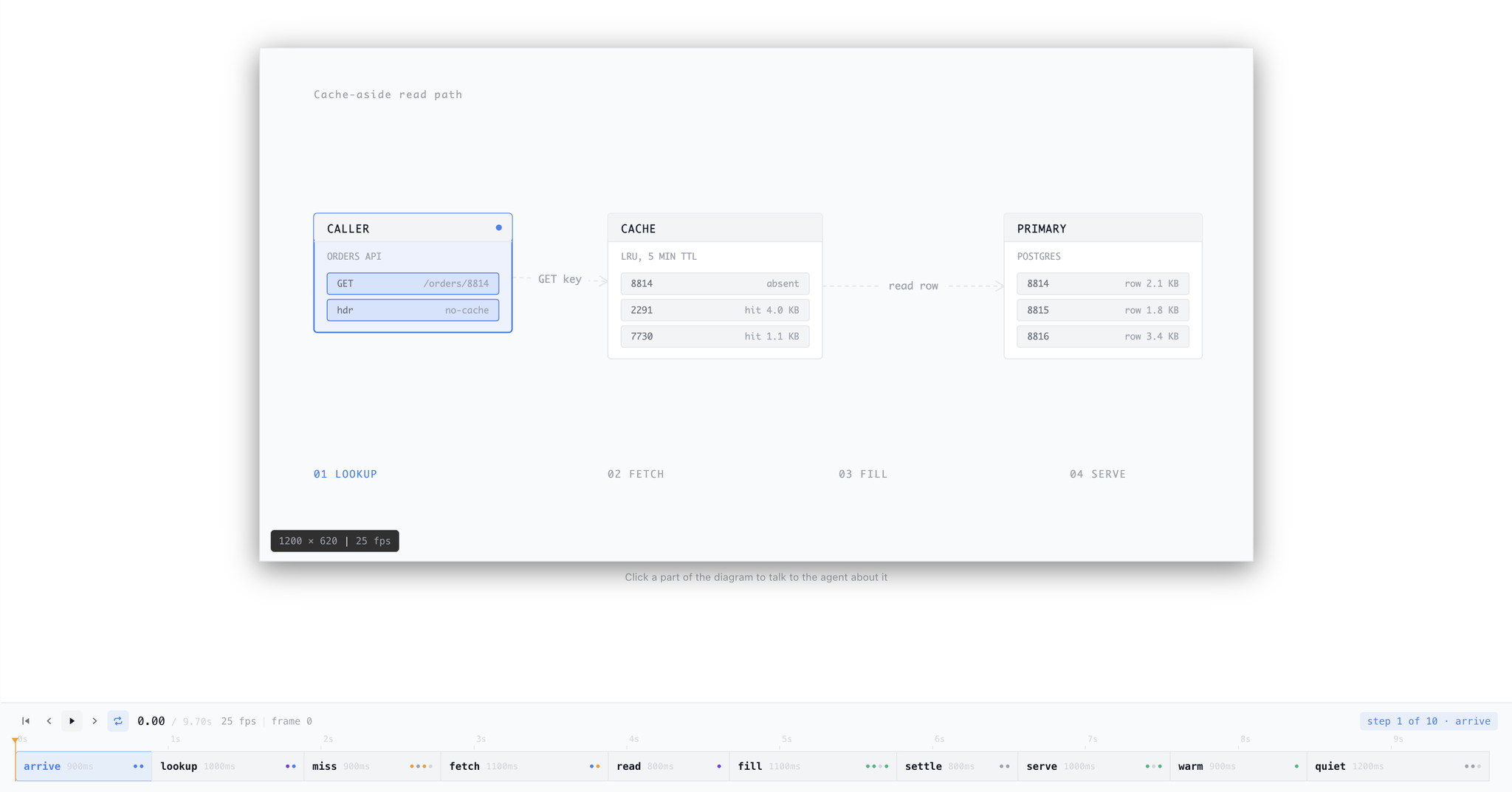
by NimbalystAnimate technical diagrams step by step
Build animated explainer diagrams from a scene and an ordered list of steps. Scrub the timeline, retime a beat by dragging it, and click any part of the diagram to hand it to the agent.
.anim.json 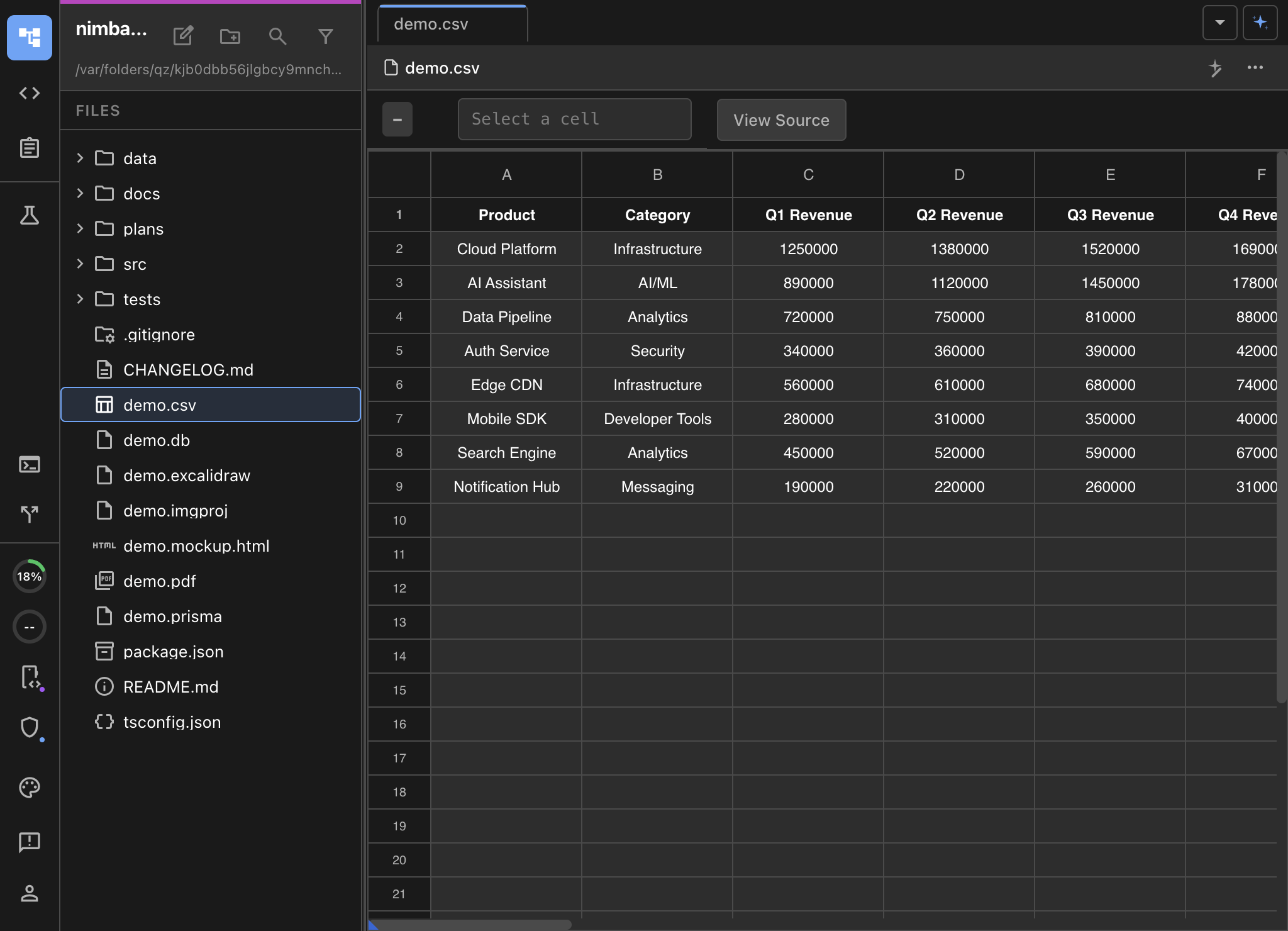
CSV Spreadsheet
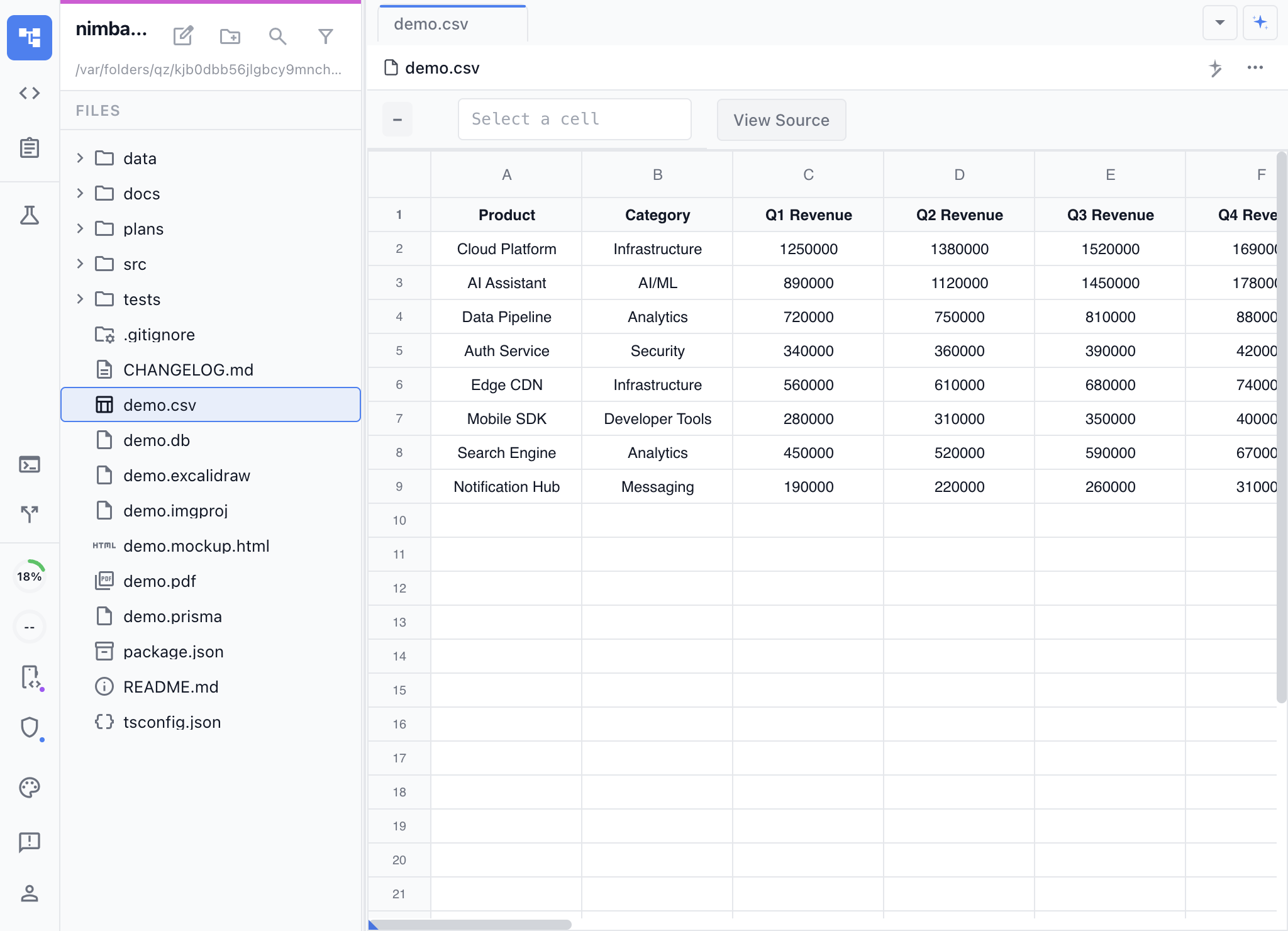
by NimbalystVisual CSV editing with formulas and column formatting, with AI assistance
Open CSV and TSV files in a full spreadsheet with formulas, column resizing, frozen rows, and sortable headers. Edit visually while the CSV stays git-friendly.
.csv.tsv 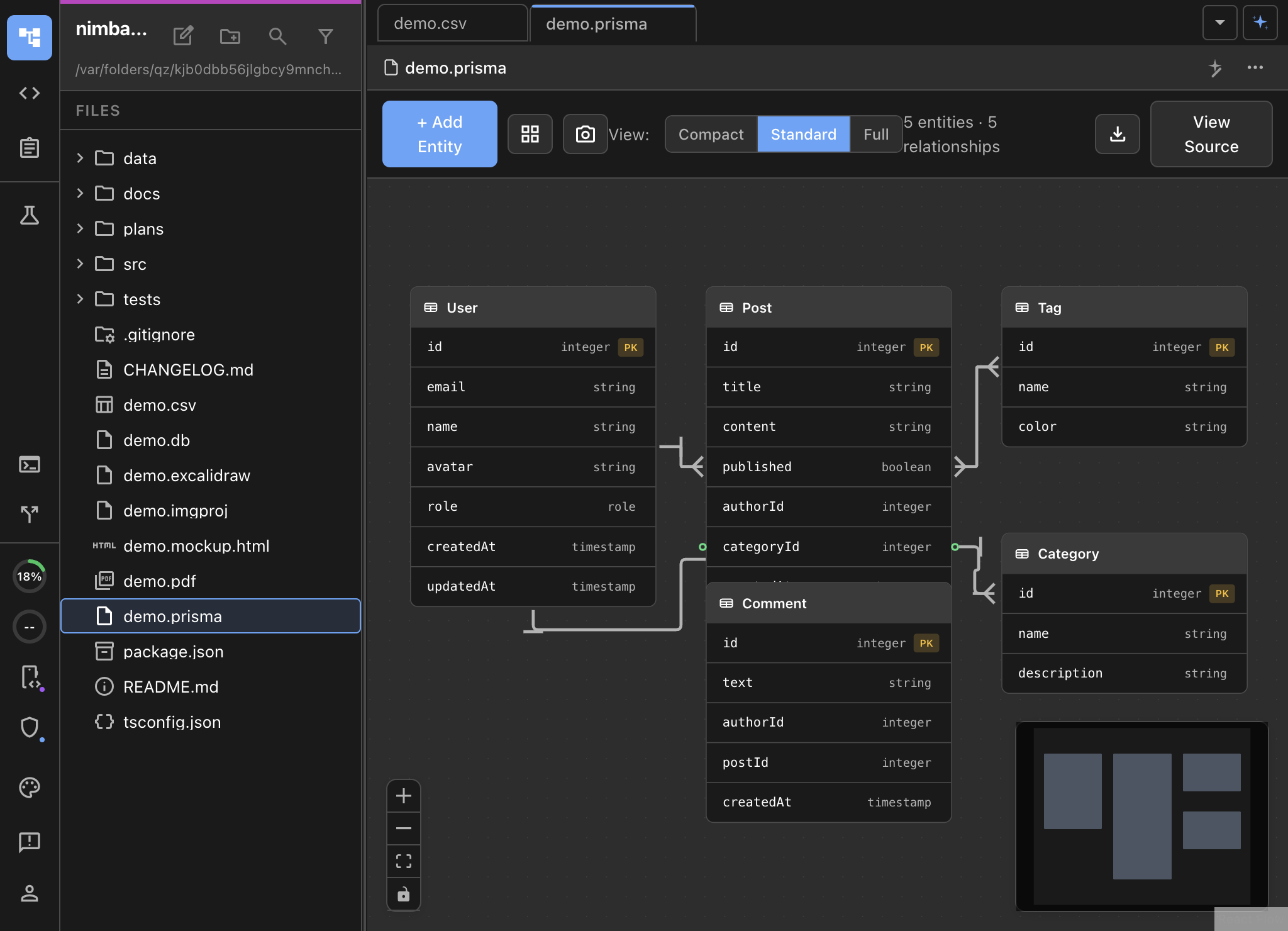
DatamodelLM
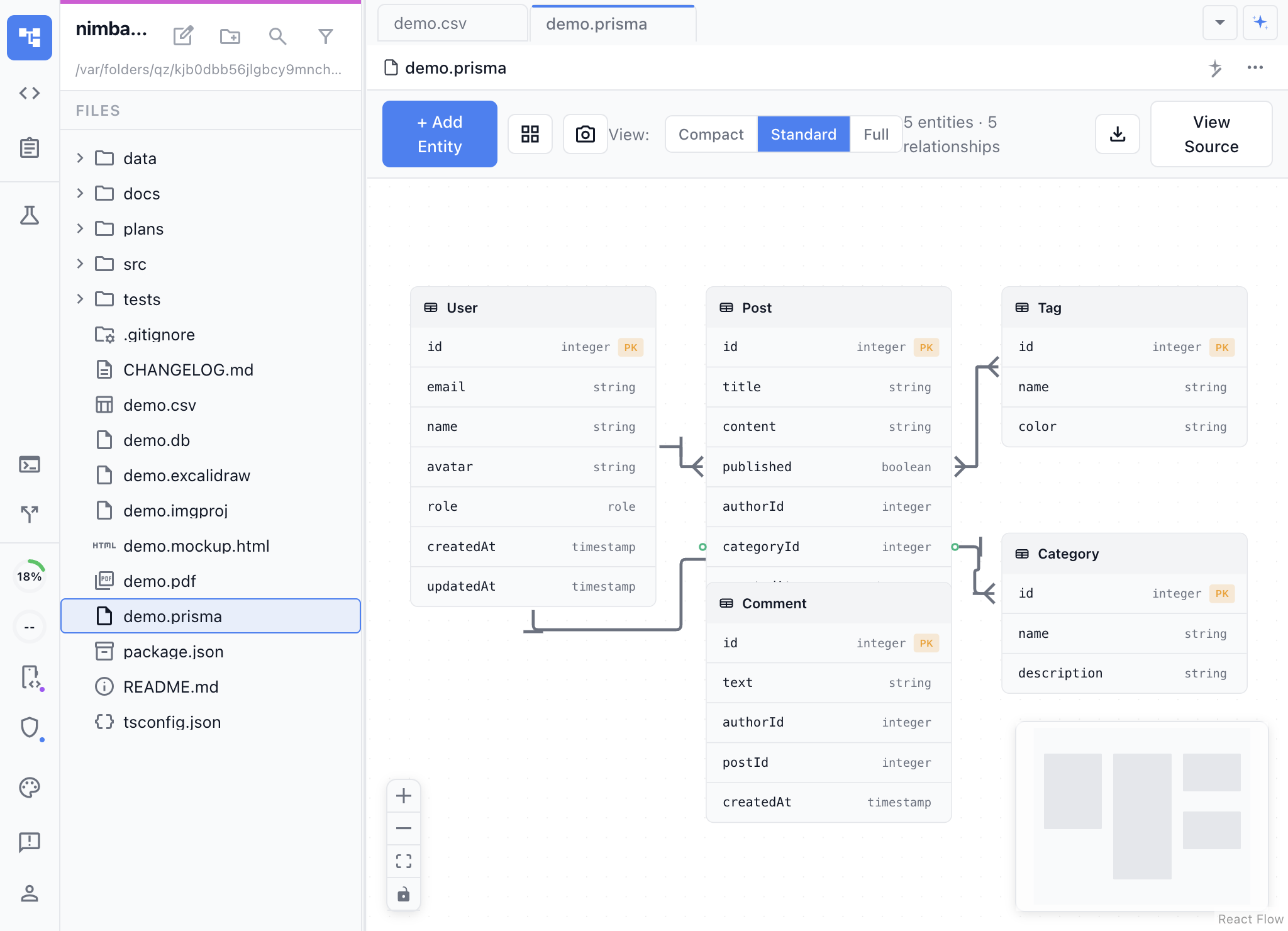
by NimbalystVisual database schema design with Prisma syntax, powered by AI
Design database schemas as entity-relationship diagrams backed by real Prisma. Drag entities, define fields and relations, or edit Prisma directly.
.prisma 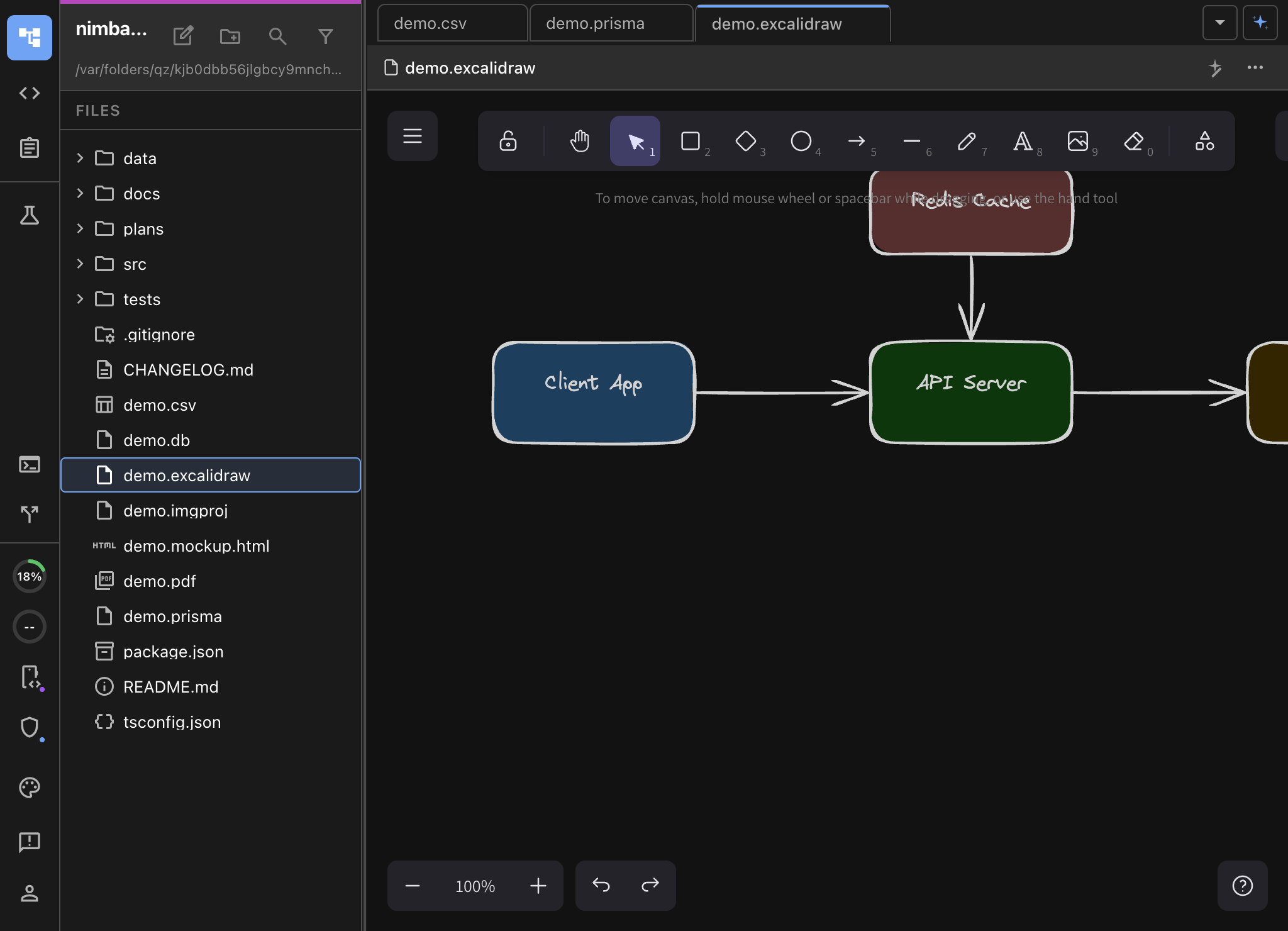
Excalidraw
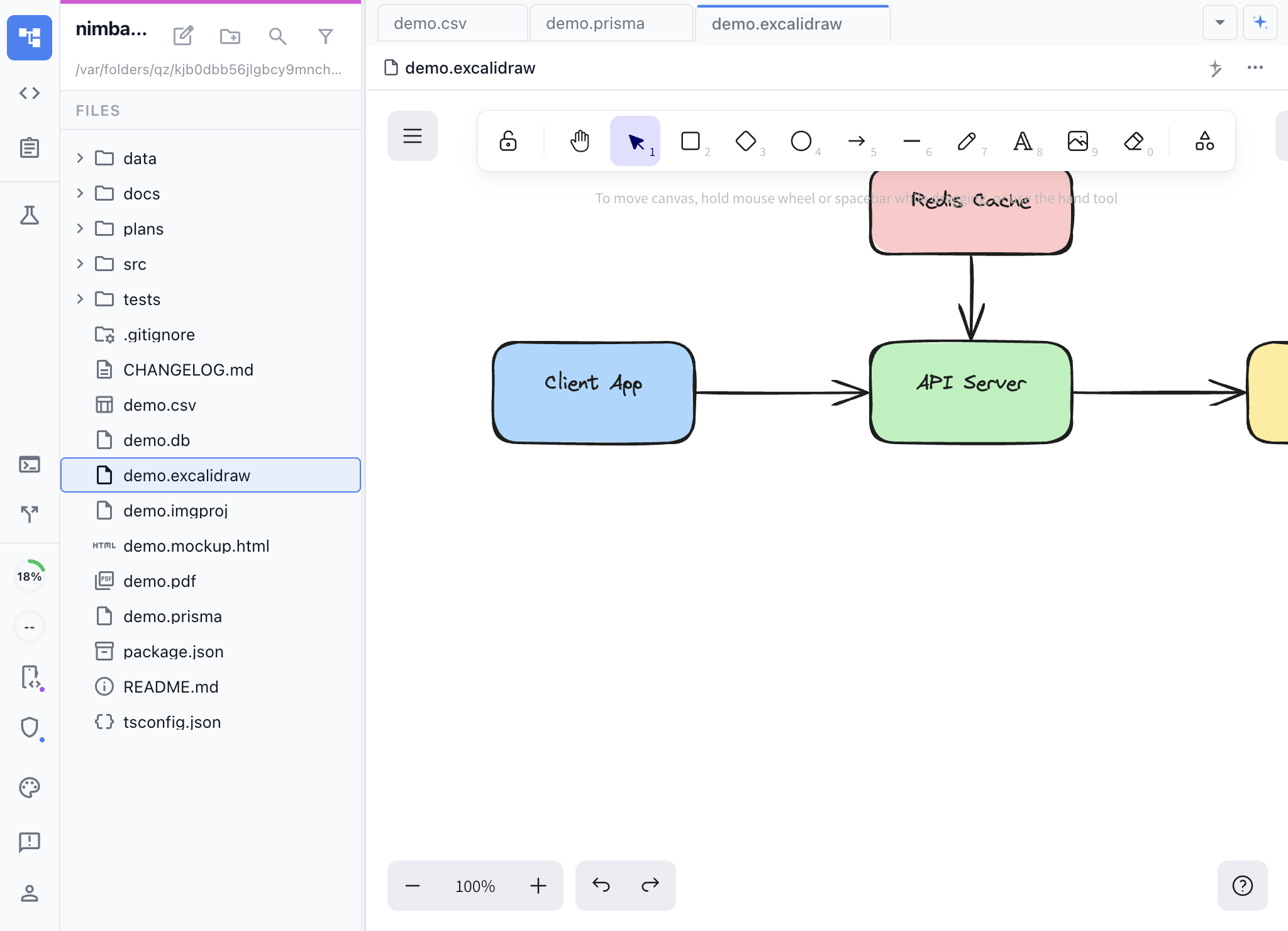
by NimbalystHand-drawn style diagrams with AI-assisted editing
Create architecture diagrams, flowcharts, wireframes, and sketches on an Excalidraw canvas. AI creates and modifies diagrams from natural language and Mermaid.
.excalidraw 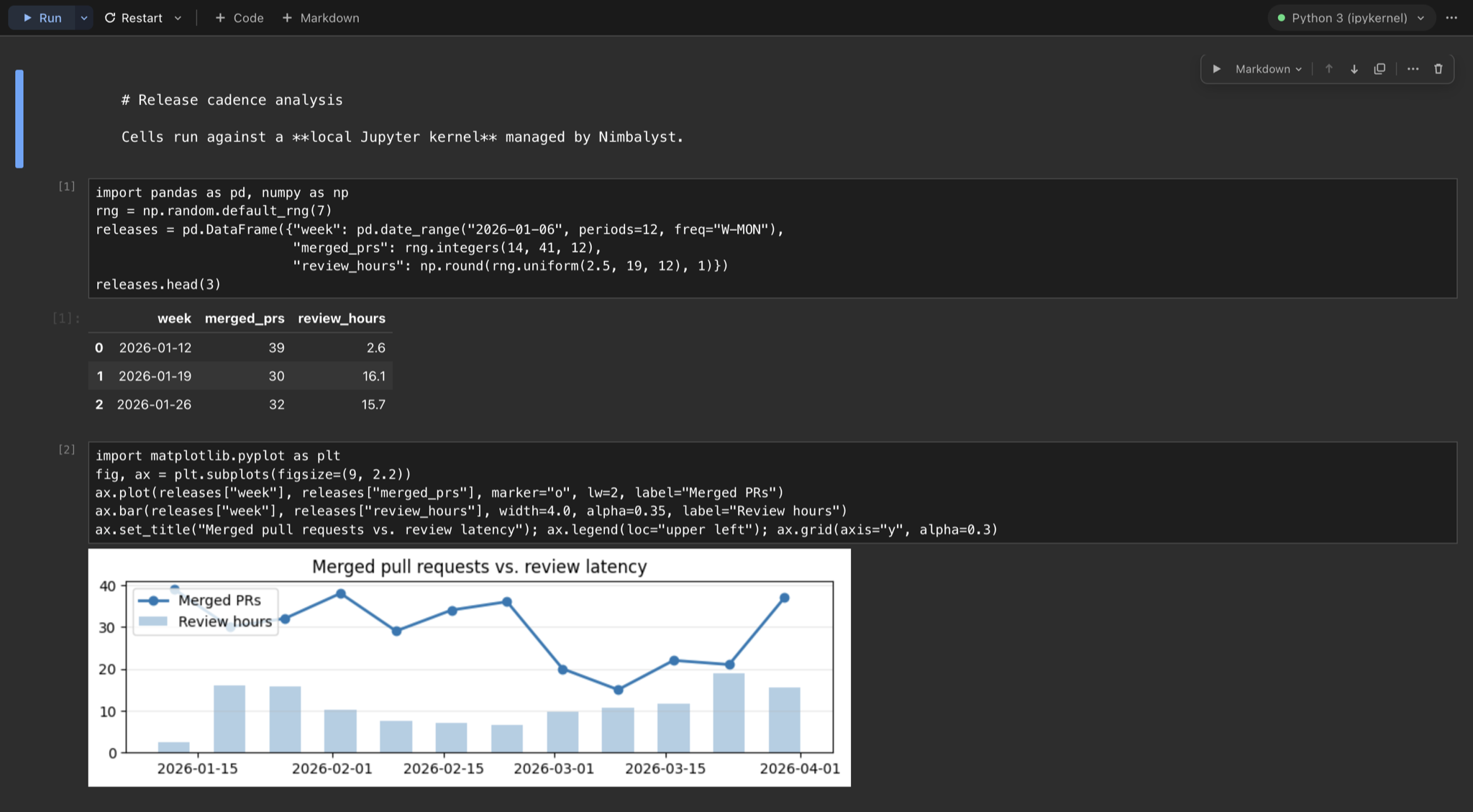
Jupyter
by NimbalystEdit and run Jupyter notebooks against a local kernel
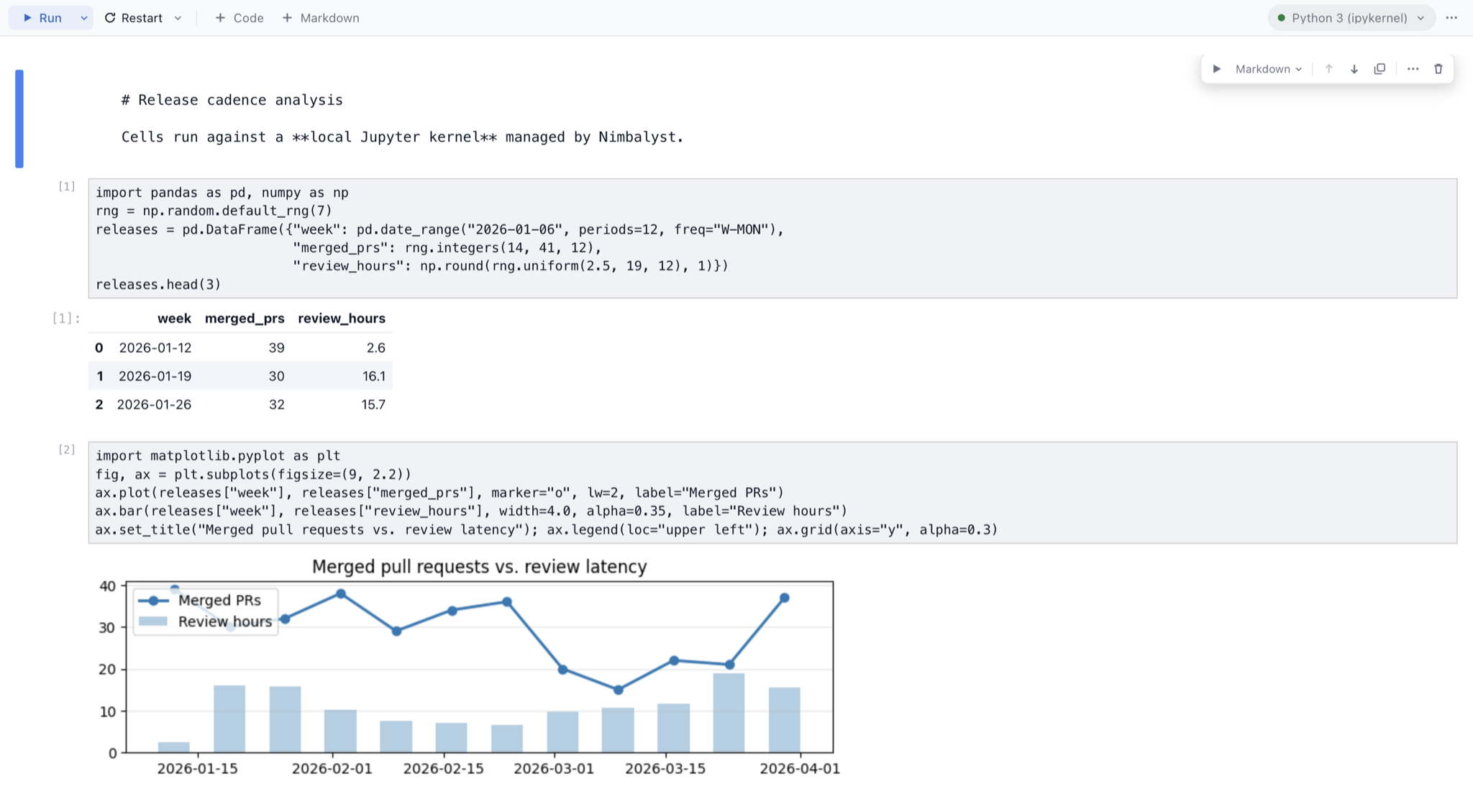
Open, edit, and execute .ipynb files in a notebook editor built on JupyterLab components. Cells run against a token-secured local Jupyter server the extension manages for you, and AI tools can read cells, run them, and inspect kernel state.
.ipynb 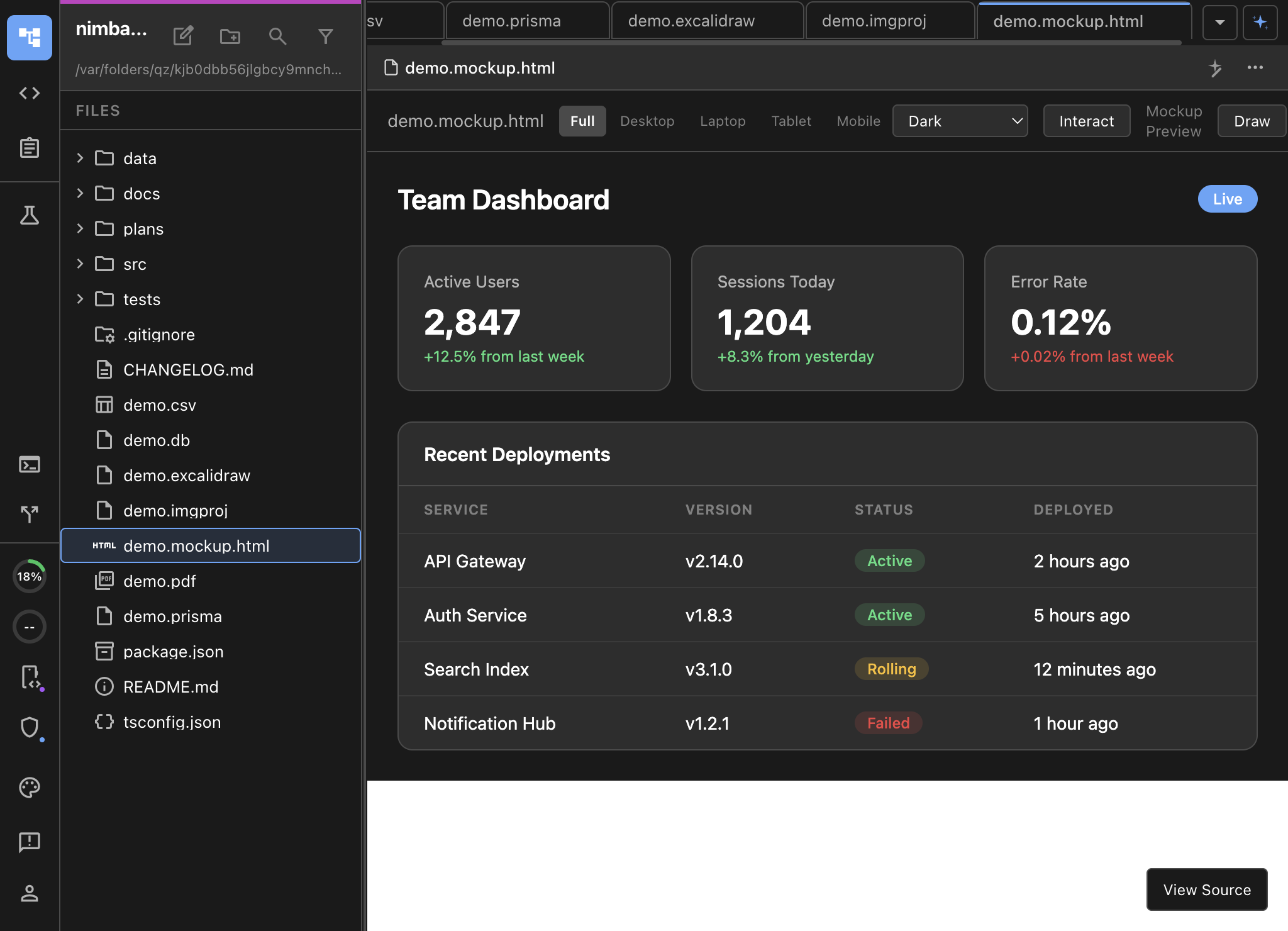
MockupLM
by NimbalystAI-generated UI mockups rendered as live HTML/CSS
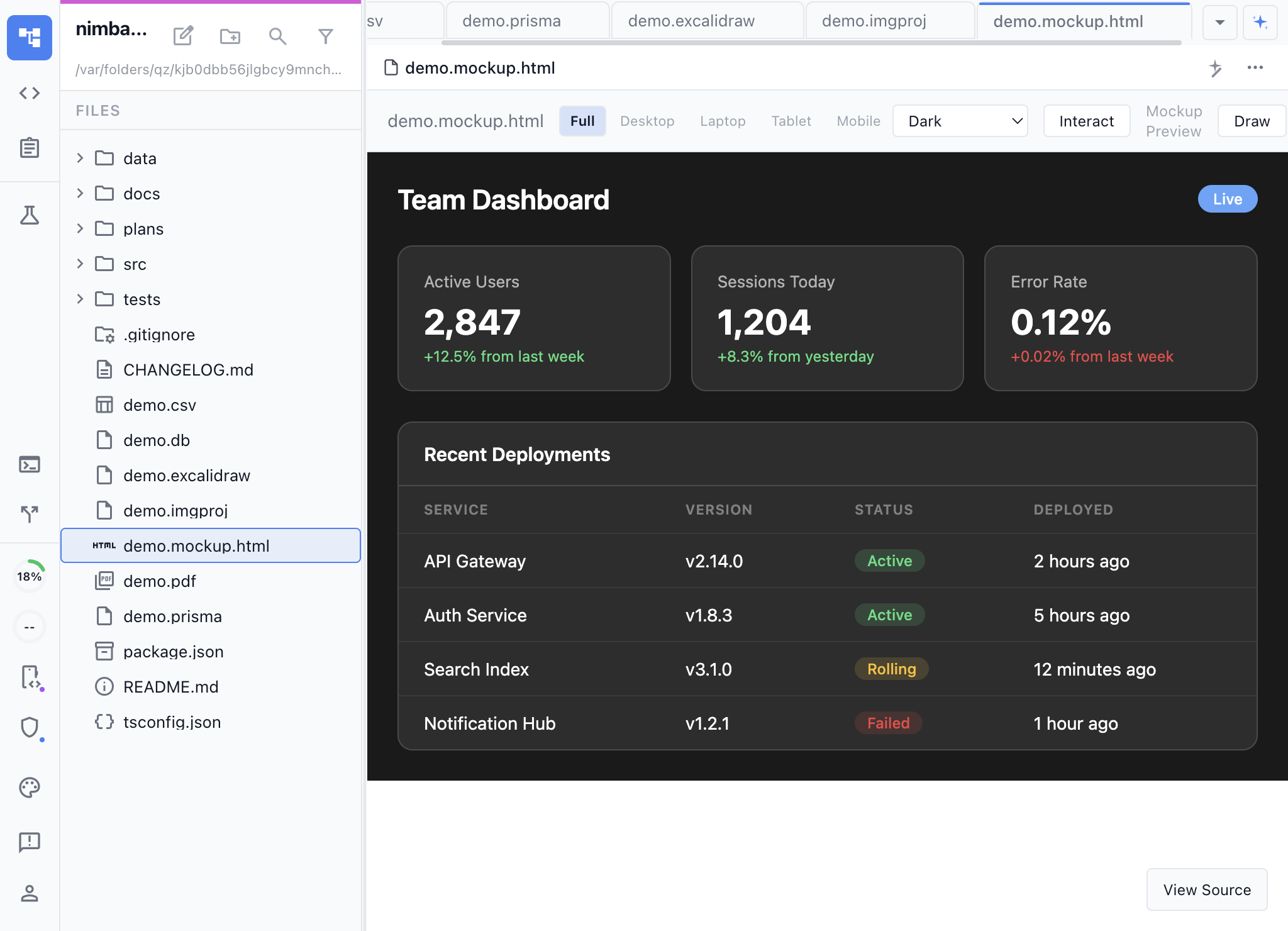
Design UI mockups by describing them in natural language. AI generates HTML/CSS mockups as live previews. Iterate visually or edit the source HTML directly.
.mockup.html 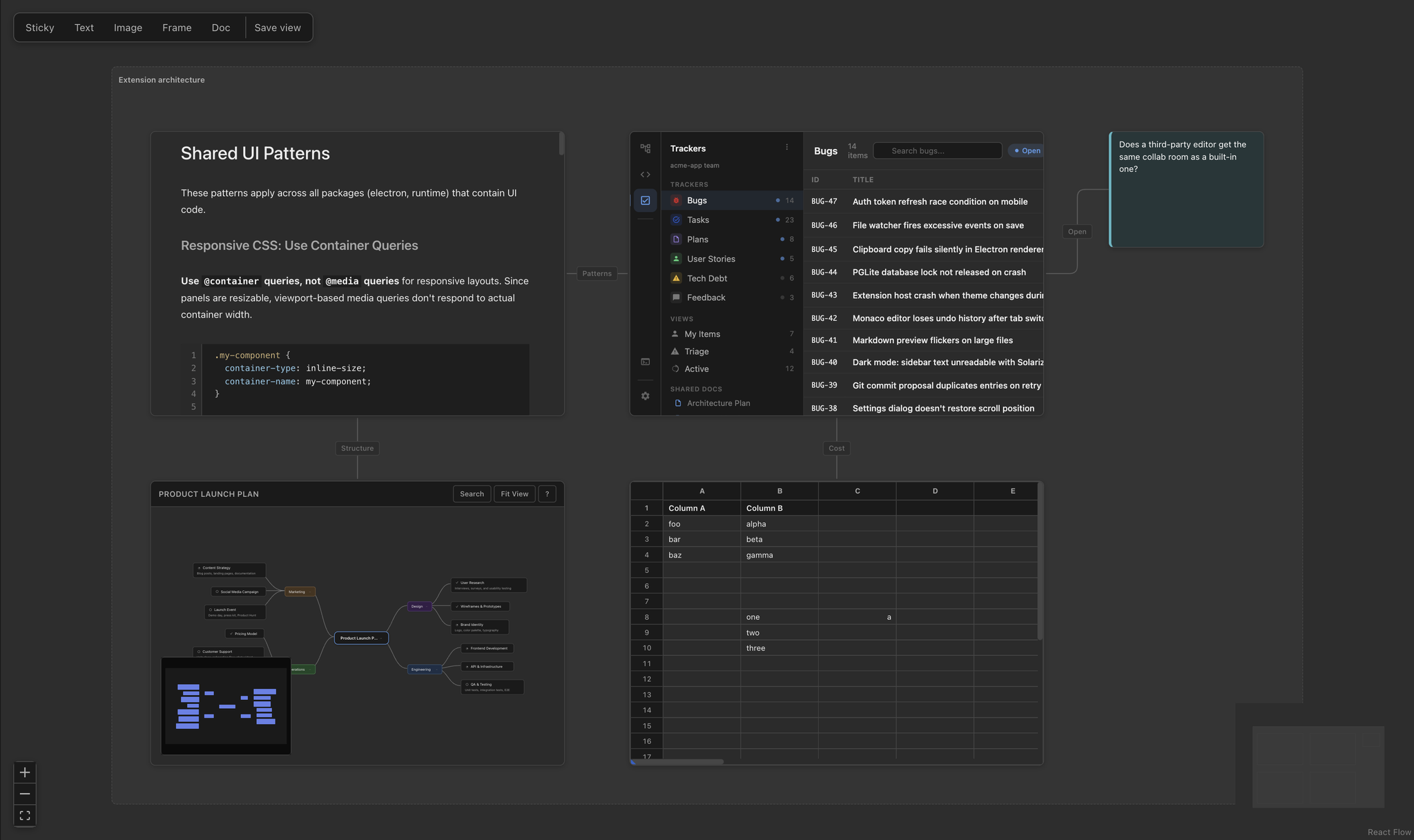
Project Canvas
by NimbalystAn infinite board whose cards are live editors on your real files
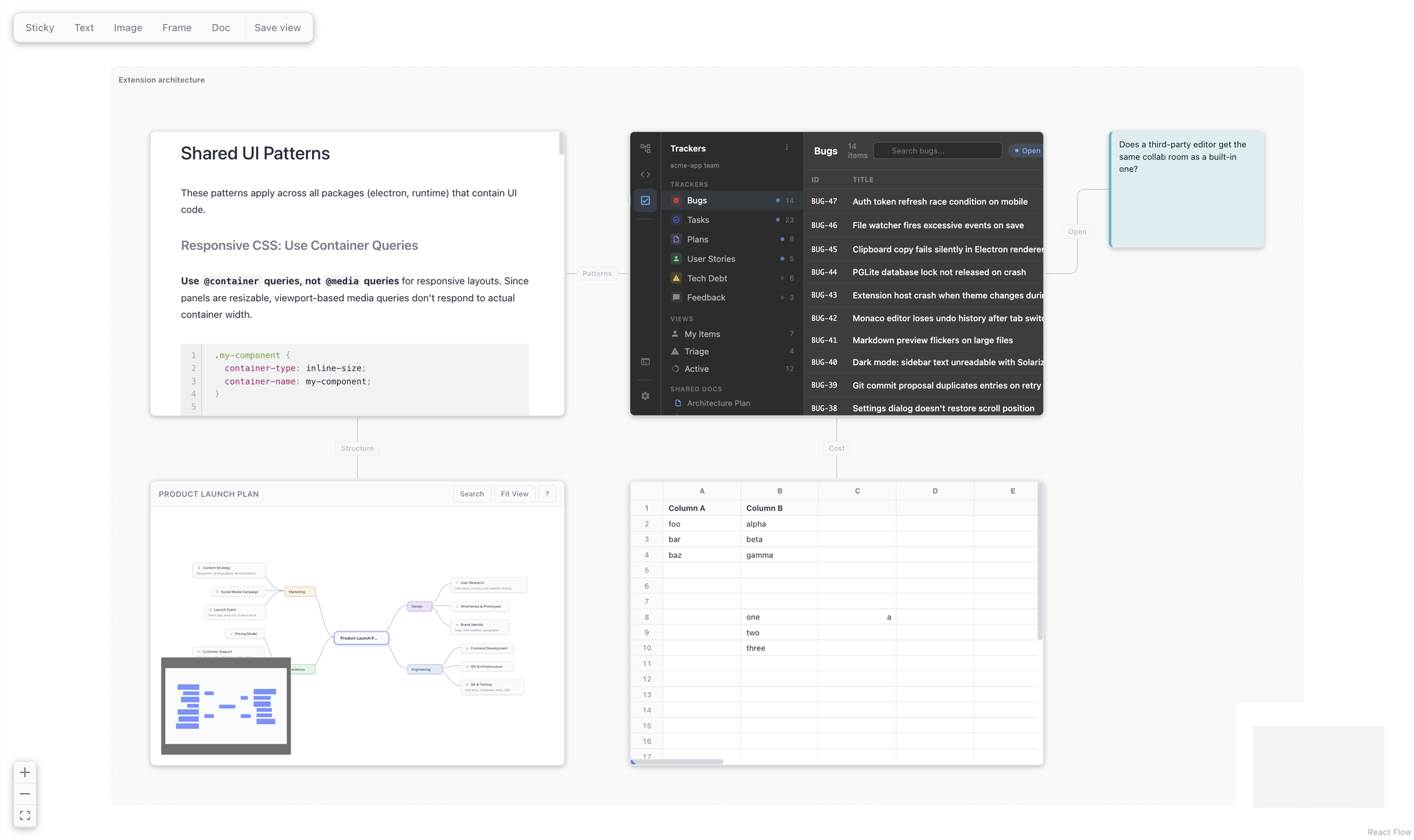
Arrange the documents, mockups, diagrams, and data of a project spatially on one board. Every card mounts the real editor for the file it points at, so a board is a working surface rather than a picture of one.
.canvas All Extensions
Animation
Animate technical diagrams step by step
.anim.json CSV Spreadsheet
Visual CSV editing with formulas and column formatting, with AI assistance
.csv.tsv DatamodelLM
Visual database schema design with Prisma syntax, powered by AI
.prisma Excalidraw
Hand-drawn style diagrams with AI-assisted editing
.excalidraw Jupyter
Edit and run Jupyter notebooks against a local kernel
.ipynb MockupLM
AI-generated UI mockups rendered as live HTML/CSS
.mockup.html Project Canvas
An infinite board whose cards are live editors on your real files
.canvas Astro
Visual editor for Astro website pages
.astro Automations
Run recurring AI workflows from markdown automation definitions
Browser
Preview HTML files and browse live URLs without leaving Nimbalyst
.html.htm.browser.json Calc Sheets
Reusable business-model worksheets with live results
.calc.md Electronics Studio
Design, simulate, test, and manufacture circuits with an AI-driven tscircuit studio
.circuit.tsx.circuit.json Git
Visual git log with push, pull, and branch management, with AI assistance
GitHub Issues Importer
Import GitHub issues into your tracker
Image Generation
Generate images from text prompts with multiple style options, powered by AI
.imgproj Namenym
AI-powered brand naming and domain brainstorming
.namenym Nimbalyst Memory
A local project brain for your AI agents
Nimbalyst Mindmap
Freeform spatial mindmap editor with AI-assisted editing
.mindmap Nimbalyst Slides
Presentation editor with live reveal.js preview, powered by AI
.slides.md PDF Viewer
View PDF documents directly in the editor, with AI assistance
.pdf Replicad CAD
Code-CAD with a real B-rep kernel and an AI see-correct loop
.replicad.ts.stl.obj SQLite Browser
Browse and query SQLite databases with AI assistance
.db.sqlite.sqlite3.db3 Build Your Own Extension
When data has a purpose-built visual editor, you work with higher bandwidth. You see patterns, catch errors, make changes, and finish the workflow in seconds. Everything you use to do that in Nimbalyst today was built with the SDK you are about to use.
See how the extension system works
Built on the system we ship on
Diagrams, mockups, data models, spreadsheets, the SQLite browser, the git panel, agent memory, and the planning commands are all extensions, and Gemini arrives as one too. Nimbalyst's editors, built-in and third-party, share the same EditorHost contract and the same agent hooks. Obsidian gets peer views right but leaves AI to each plugin, and VS Code's agent APIs route through Copilot.
Real Editors, Not Side Panels
Register a file type and ship a full editor inside the workspace, not a side panel or an embedded iframe. Agents talk to your extension through the same structured hooks the built-in editors use.
Built for the Long Tail
Existing extensions cover an Astro website editor, a visual git log, a mindmap, a slides editor, and a local memory engine for AI agents. The extension model is built for the long tail of editors that do not exist yet.
Custom File Type Editors
Register your extension against any file extension — .csv, .excalidraw, .mockup.html, or anything you invent. Your editor renders directly in Nimbalyst's workspace.
AI Tool Integration
Expose MCP tools so the AI agent can read from and write to your extension. The agent can create diagrams, edit spreadsheets, or update any custom format through your tools.
Full Web Stack
Build with HTML, CSS, and JavaScript — use any frontend framework. Your extension runs in a sandboxed webview with full access to the Nimbalyst Extension API.
Hot Reload Development
Use the Extension Dev Kit to build, install, and iterate on your extension with instant hot reload — no restarts needed.
Collaborative with Teams
Declare collaboration in your manifest and map your file format to a shared document. Nimbalyst supplies the sync, encryption, and presence, so your editor becomes multiplayer on Nimbalyst Teams with live cursors and selections, alongside every other shared document.