One workspace
One workspace, native to your coding agents
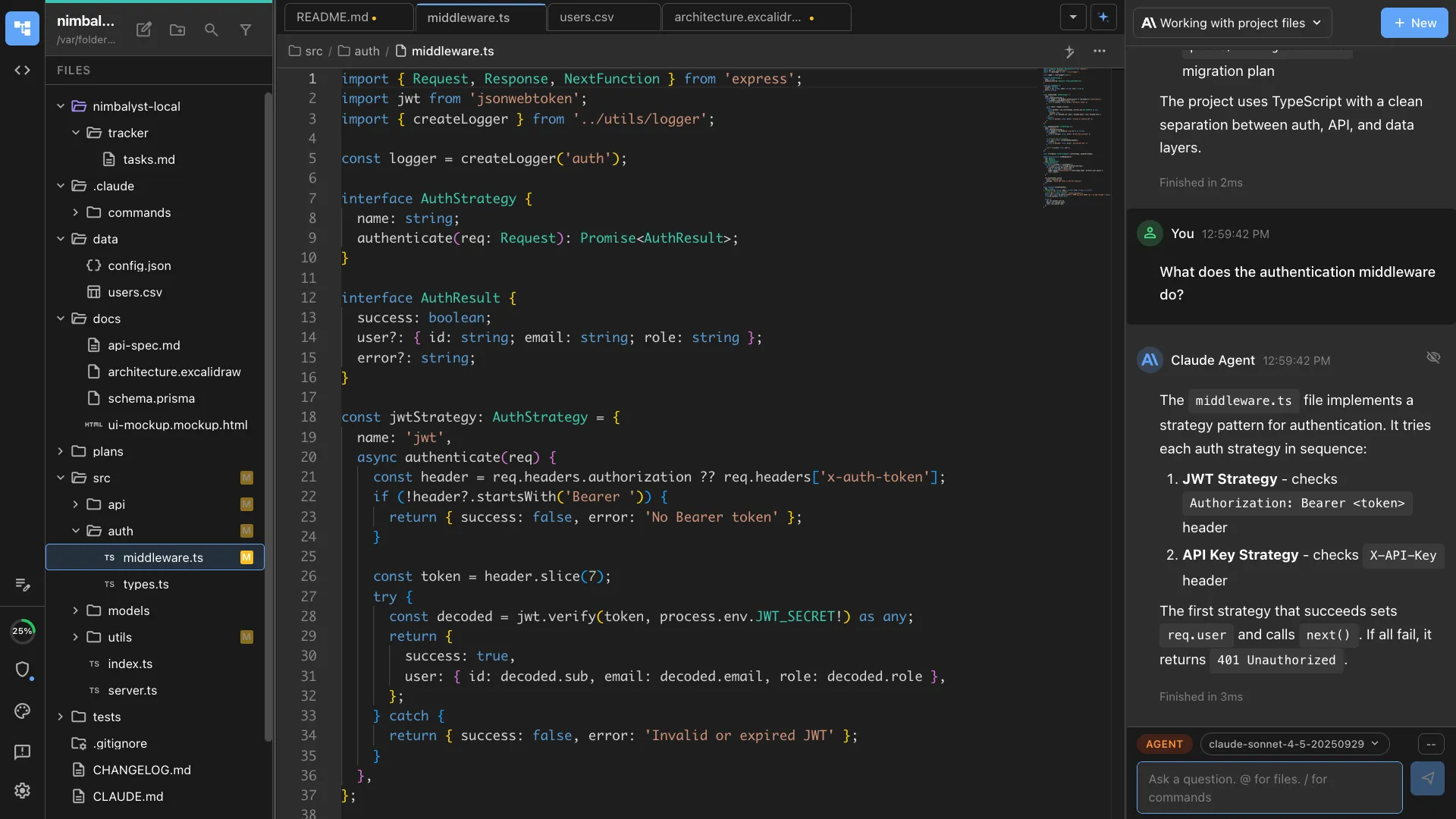
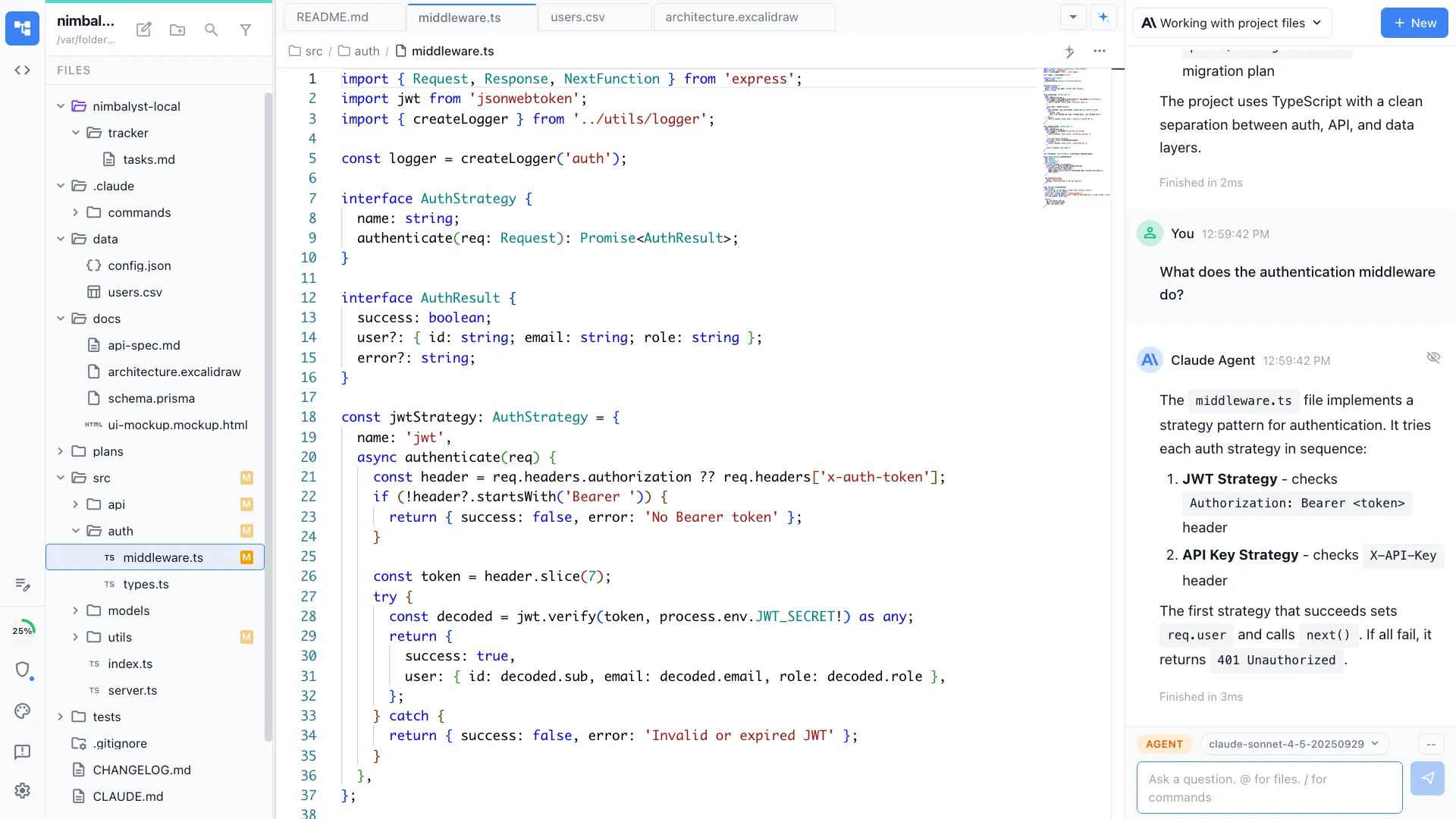
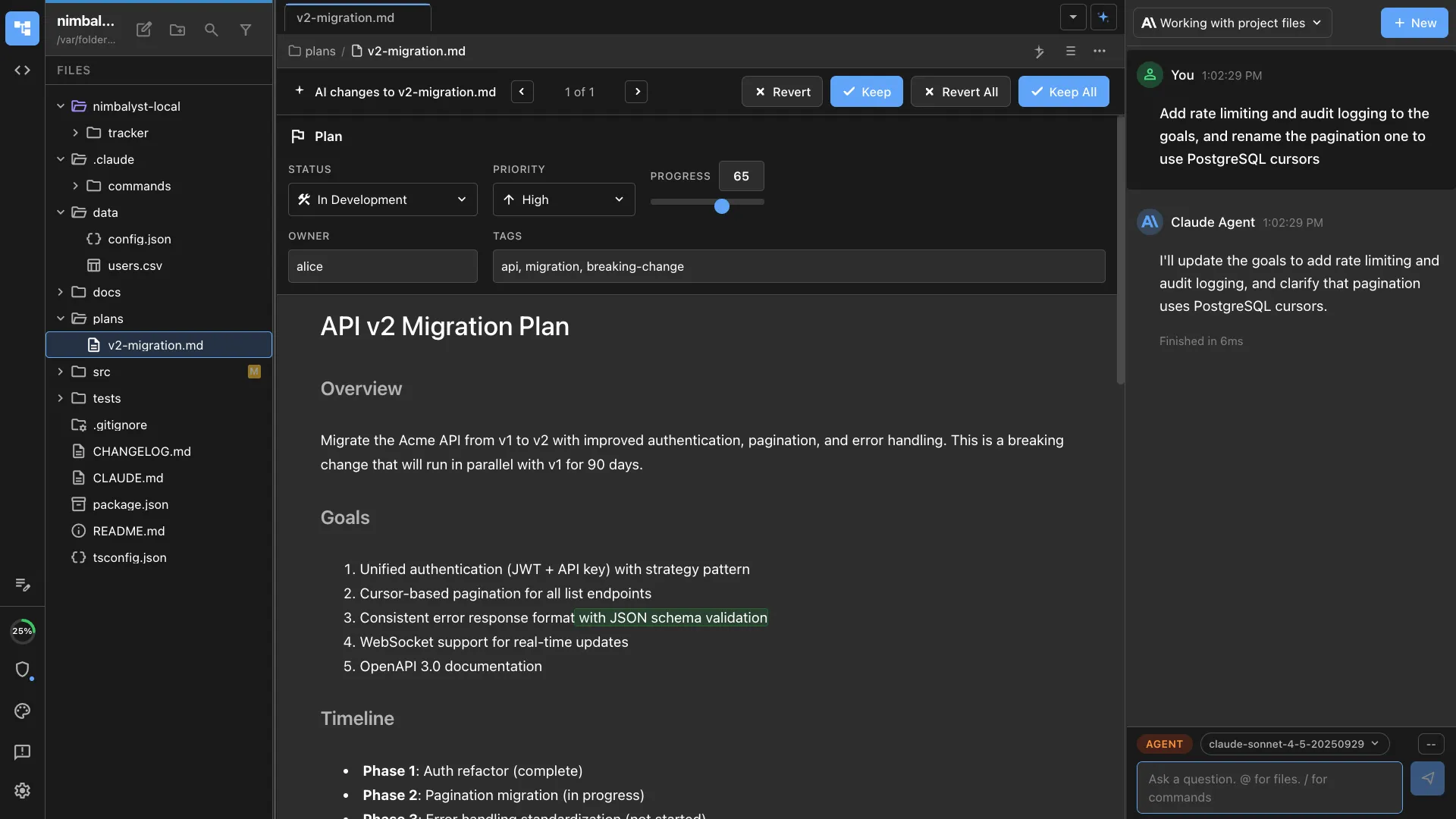
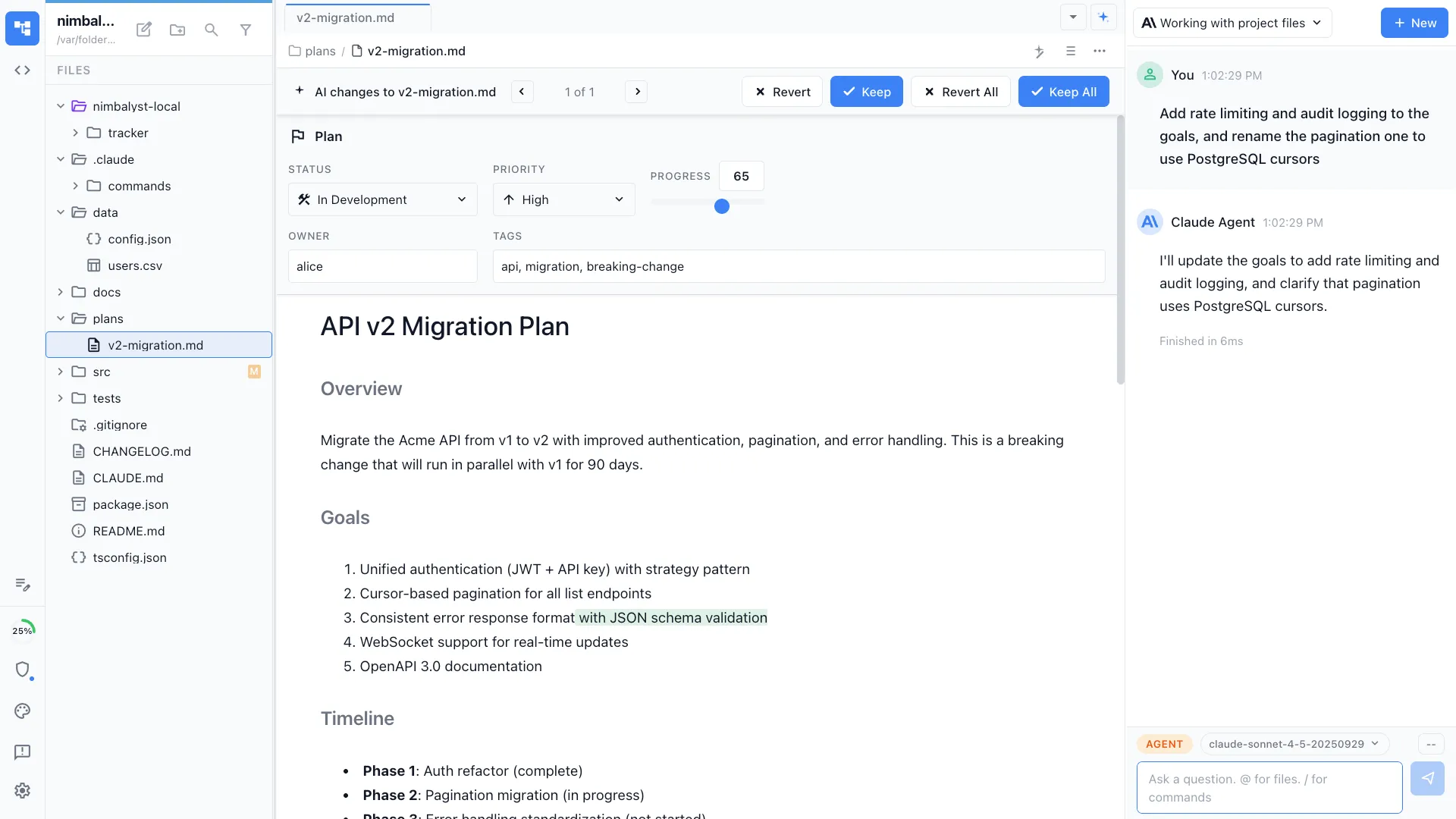
Your docs, diagrams, whiteboard, mockups, and tasks live in the same place as your Claude Code and Codex sessions. Everything is deeply linked, and your agents read, write, and act on all of it, instead of a stack of ten disconnected tools.
Free for individuals. Works with your existing Claude Code or Codex subscription or API key.
One workspace instead of ten tools
Teams building with AI agents often run the agent in one place and keep everything around it somewhere else. Specs in Google Docs or Notion. Diagrams in Lucidchart. Whiteboards in Miro. Mockups in Figma. Tasks in Jira or Linear. The agent cannot see any of it, so every handoff is copy and paste.
Nimbalyst puts all of it in one workspace, native to the agents. A plan links to the session that implements it and the tracker item it closes. A diagram sits next to the code it describes. Sessions and prompts are first-class: searchable, managed on a kanban, and linked to the work. Your agents read, write, and act on the whole graph, not just a chat window.
Why Nimbalyst
Everything native to your agents
Docs, not a separate doc tool
Specs and plans in markdown that Claude Code and Codex read and act on, instead of Google Docs, Notion, Confluence, or Obsidian bolted on the side.
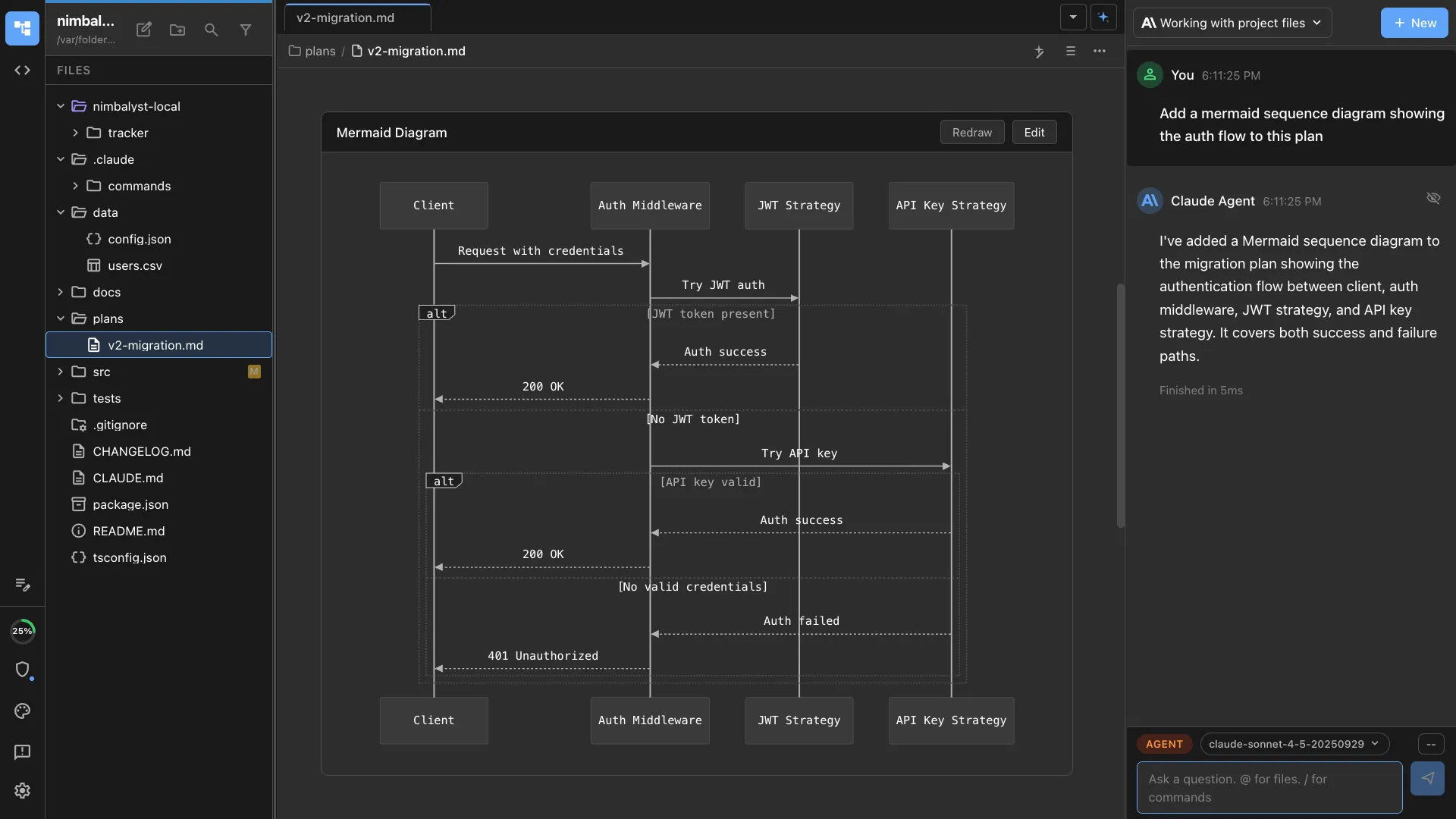
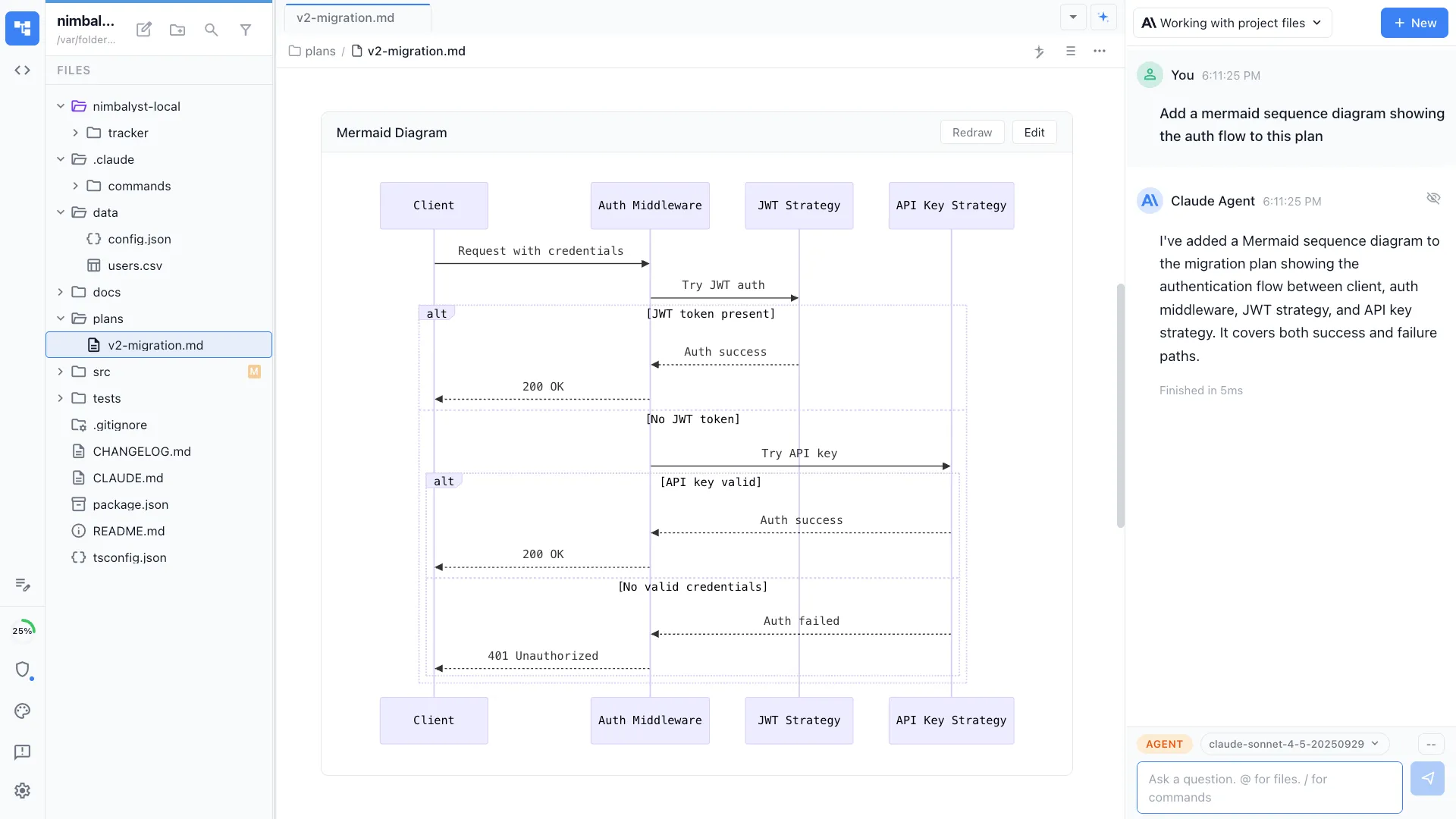
Diagrams as code
Mermaid and a visual data-model editor built in, so agents draw and update architecture straight from the codebase, instead of Lucidchart in another tab.
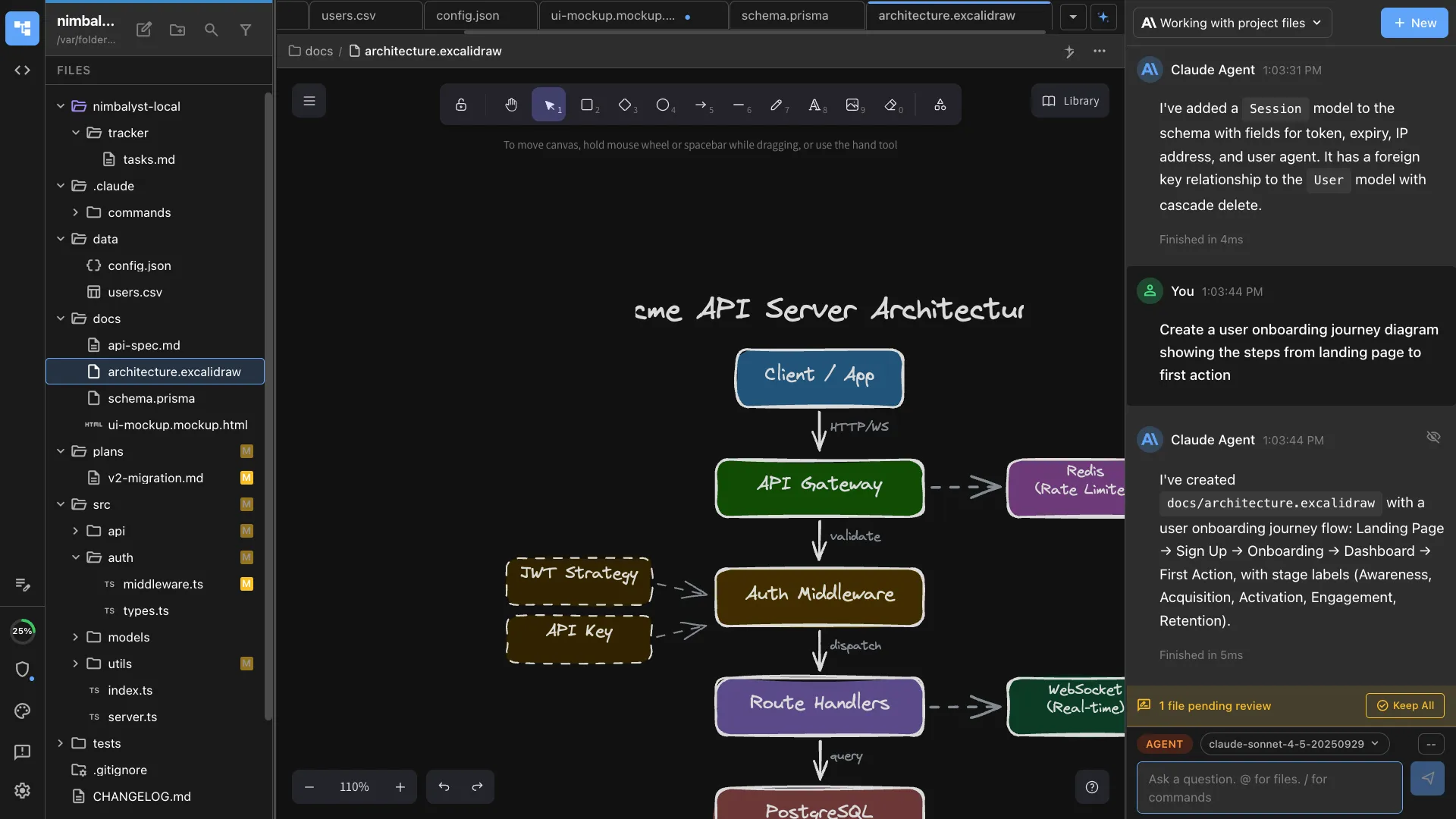
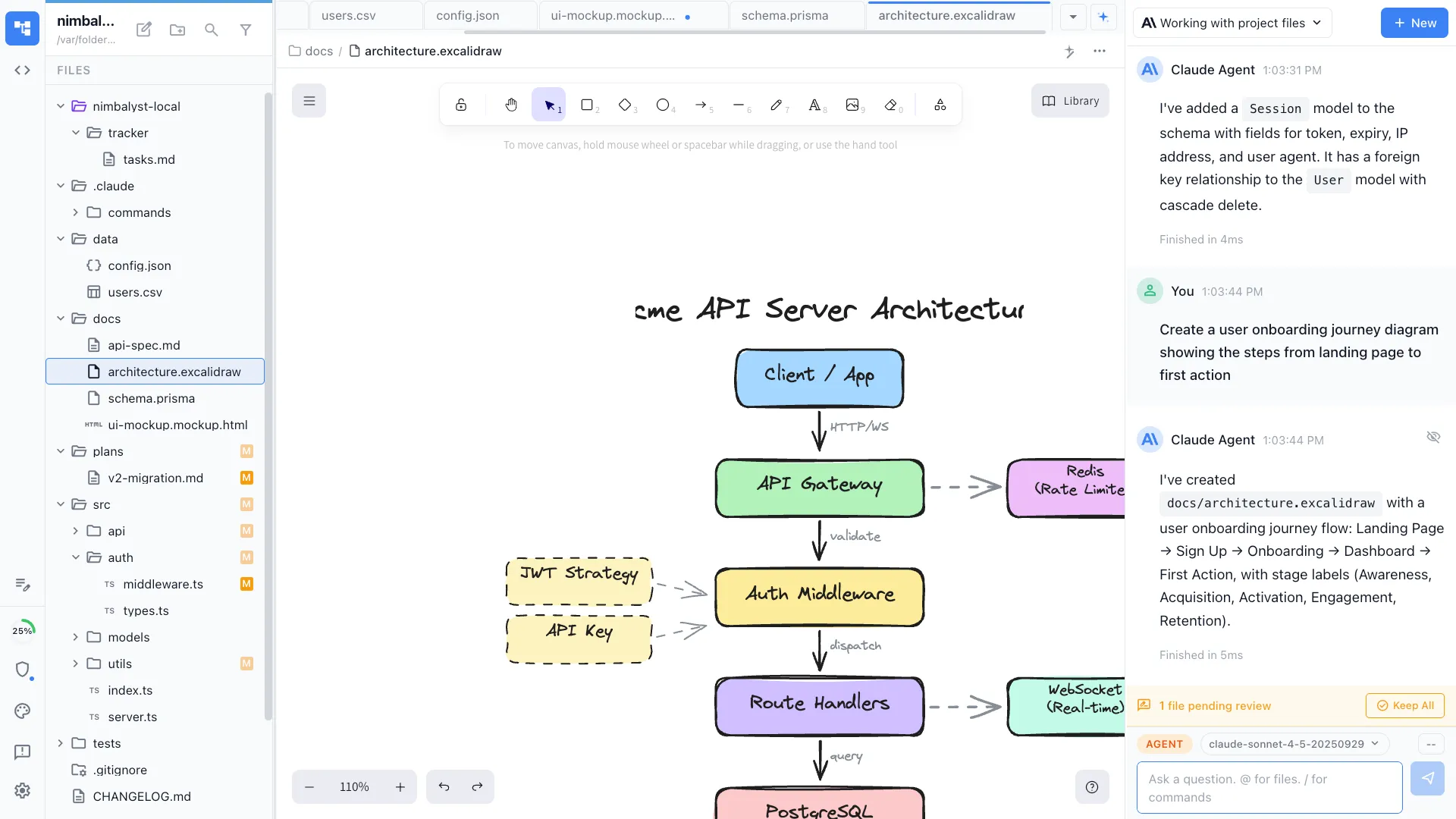
A whiteboard native to the work
An Excalidraw canvas connected to your sessions and code, instead of a standalone Miro board the agents never see.
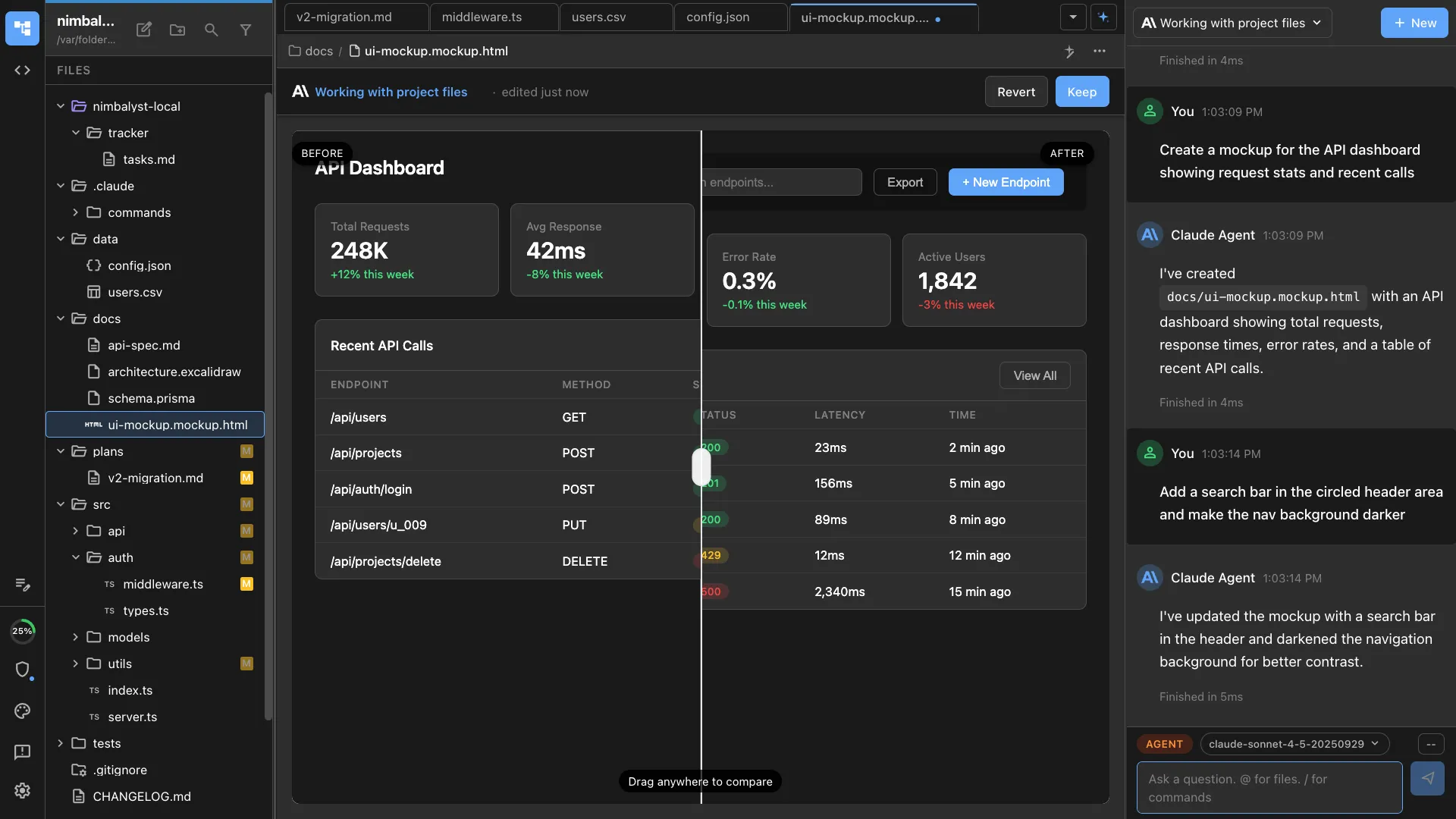
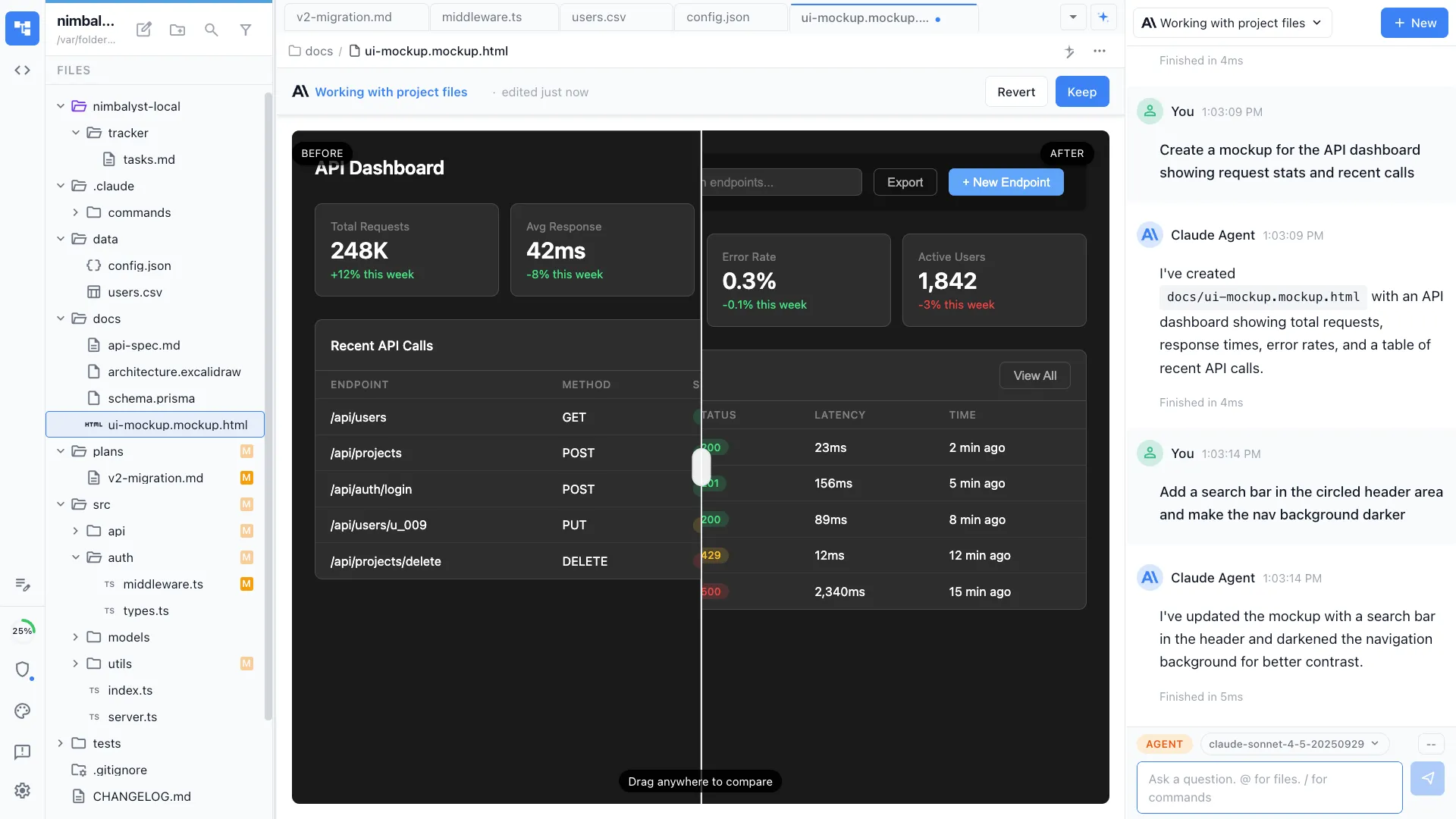
Mockups that turn into code
Your agent designs a mockup from your code and implements it, instead of handing a Figma file across a wall.
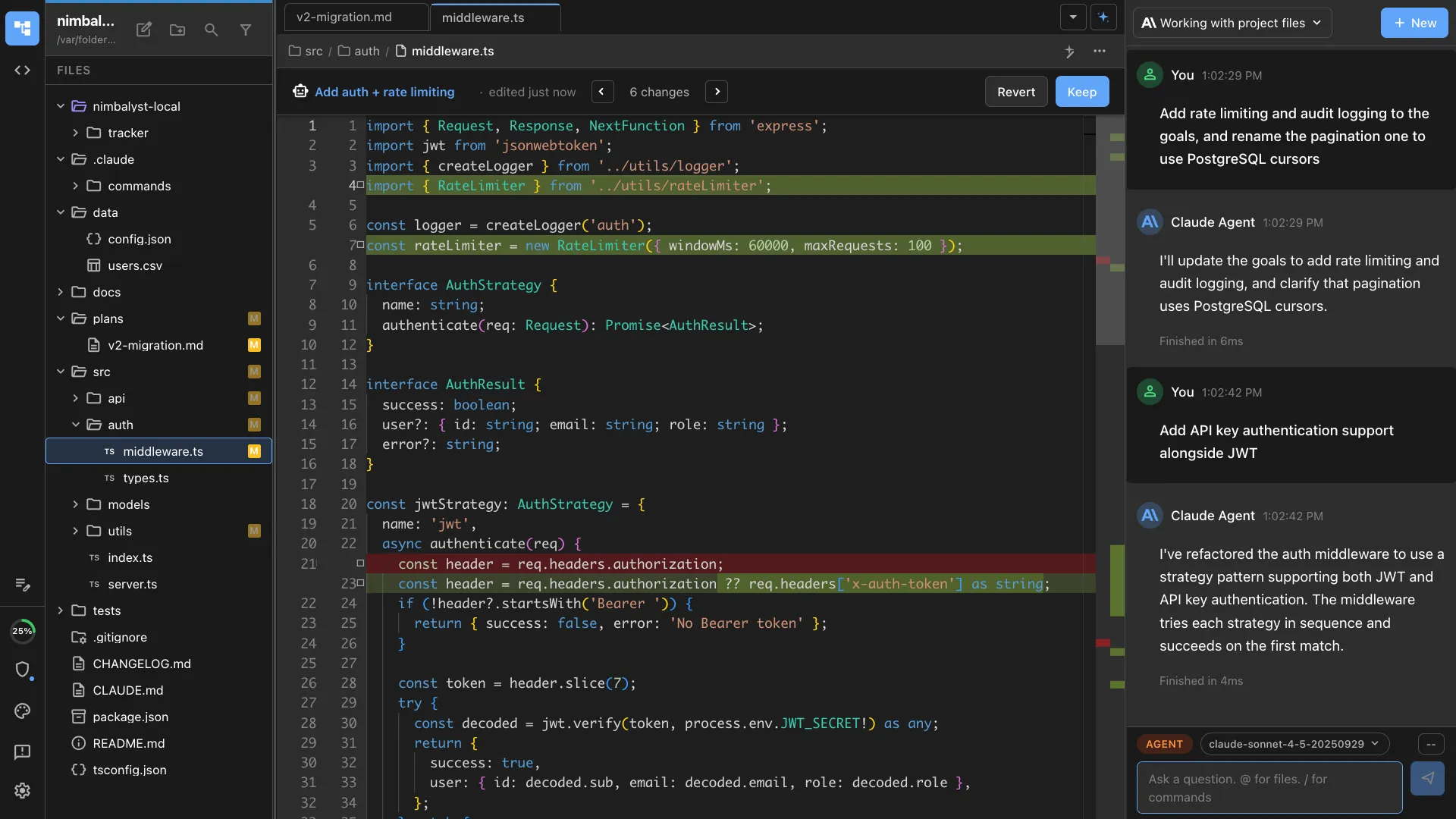
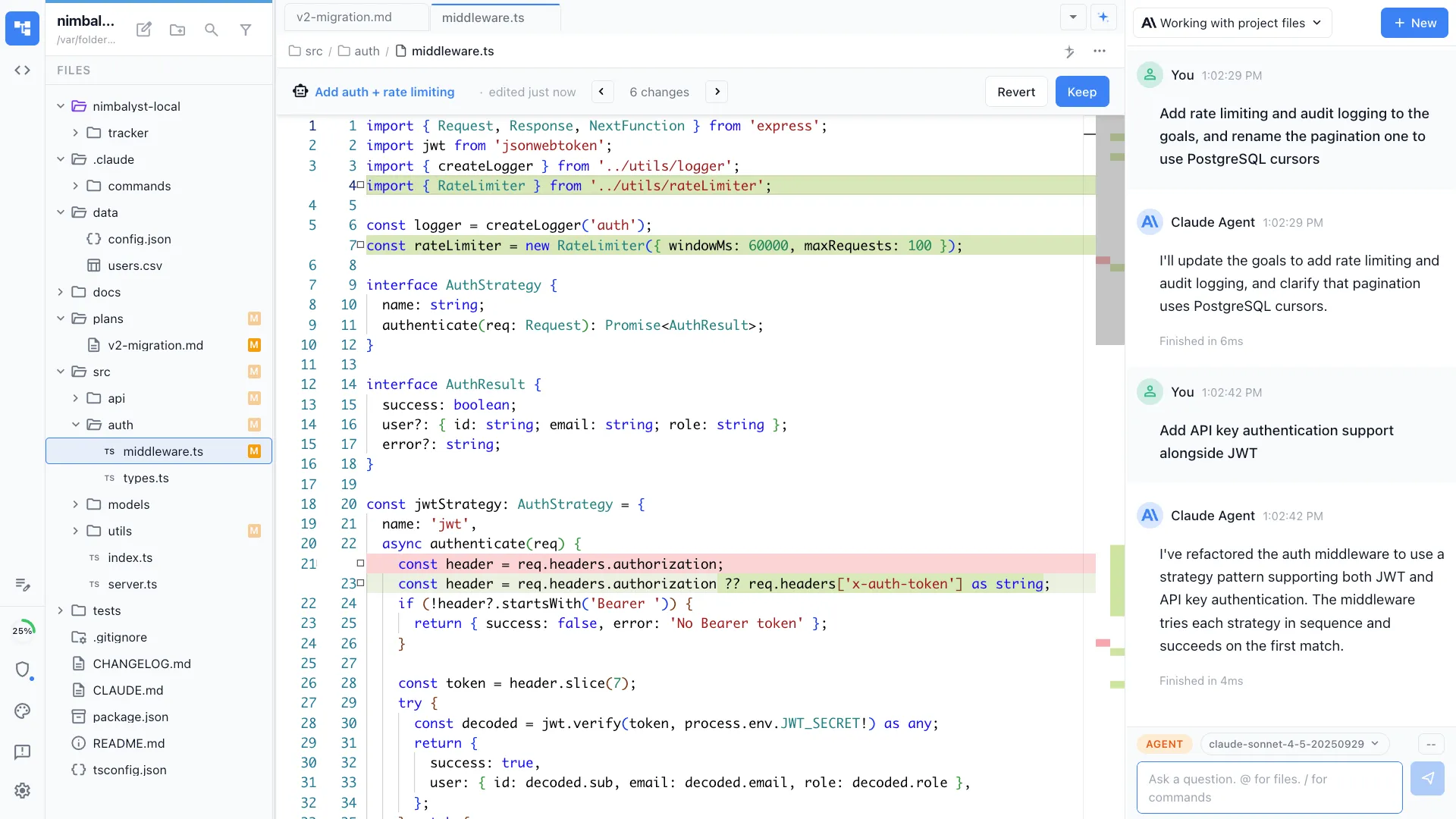
Code, in the same workspace
A full Monaco code editor beside the docs, diagrams, mockups, and tasks, so the code your agents write lives next to everything that describes it.
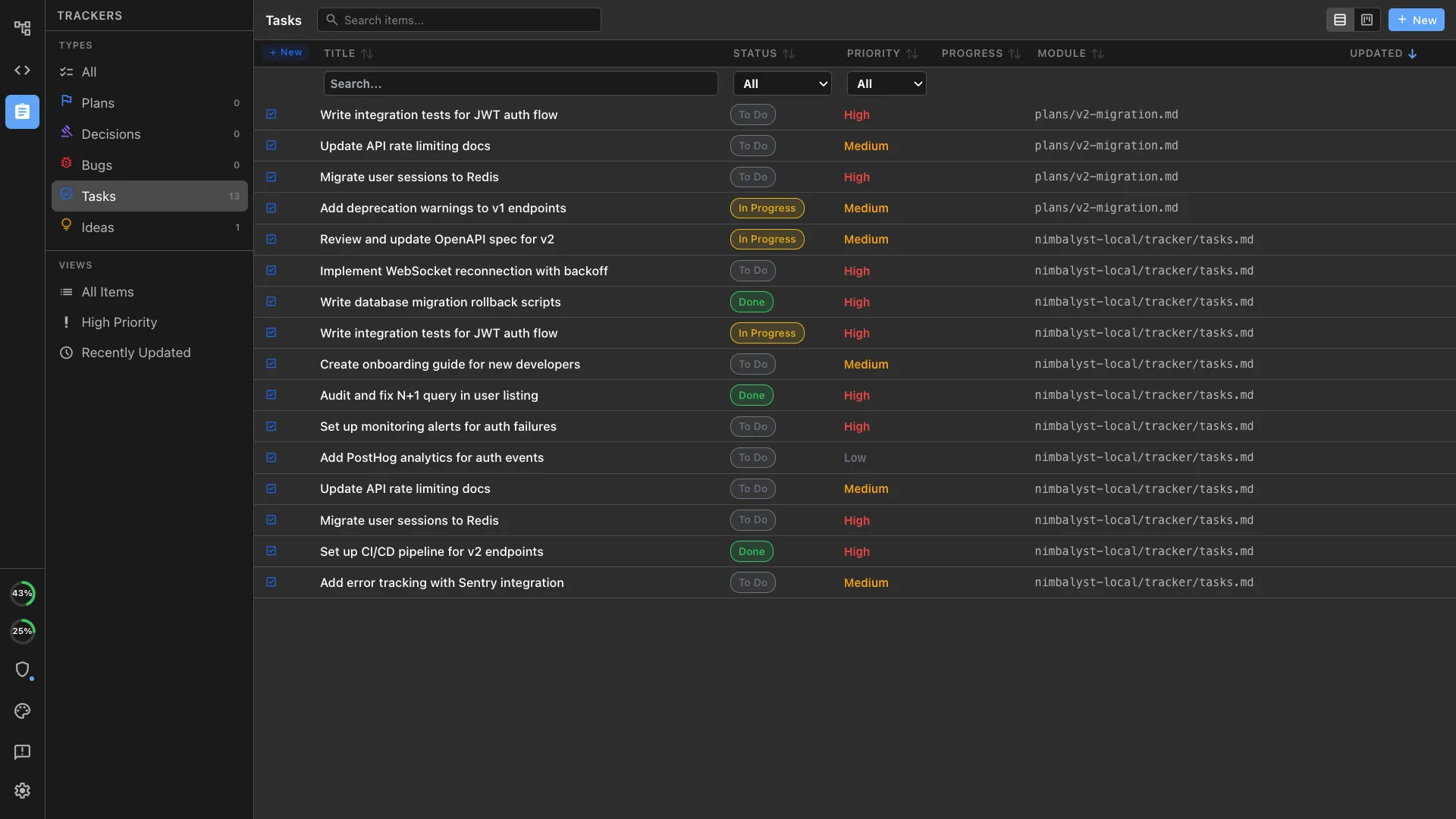
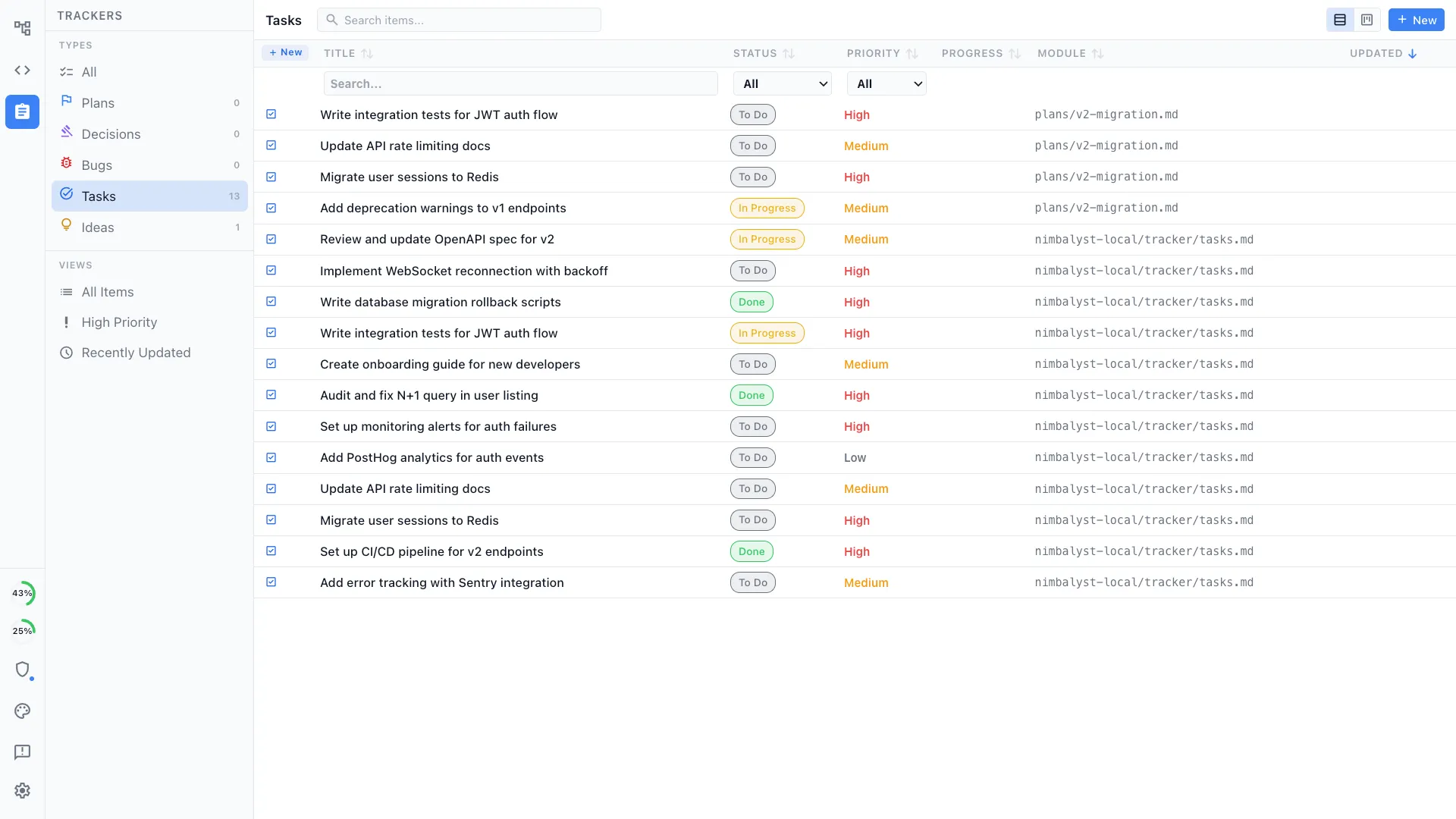
Tracking that turns into agent work
A built-in tracker where a ticket becomes an agent session and shipped code, instead of Jira or Linear disconnected from the work.
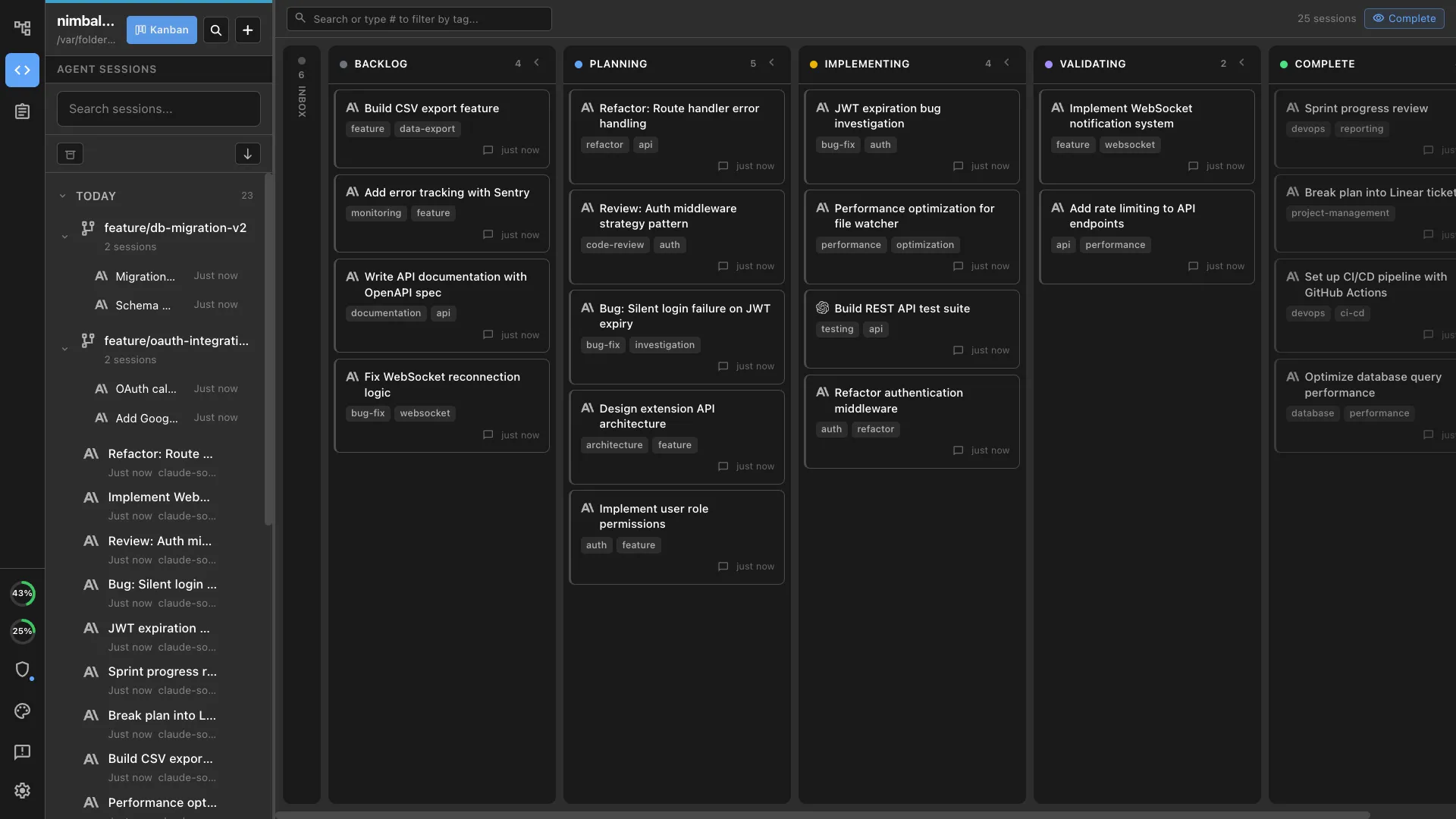
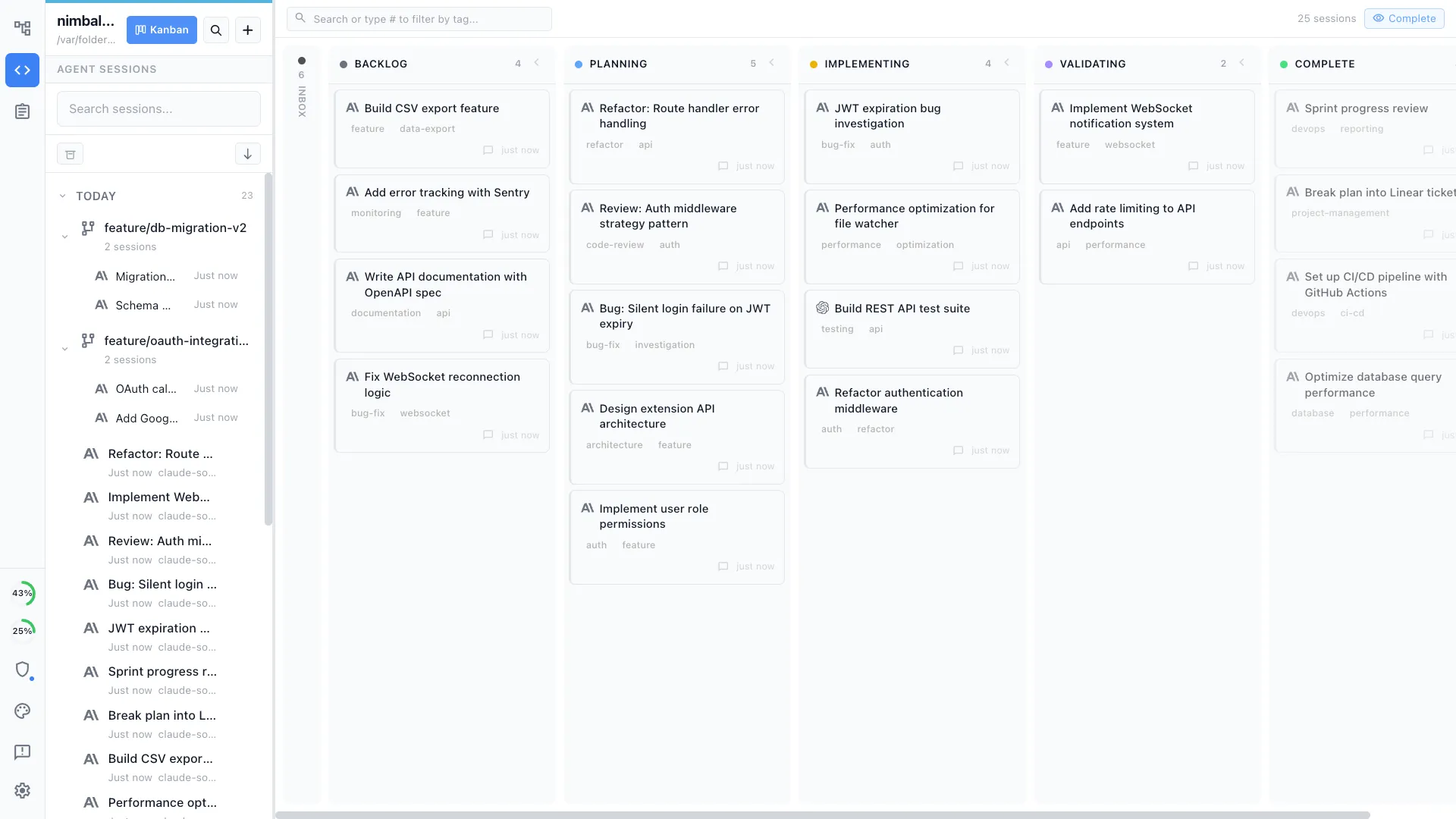
Sessions and prompts, first-class
Every Claude Code and Codex run is searchable, managed on a kanban, and linked to the docs, diagrams, and tasks it touches.
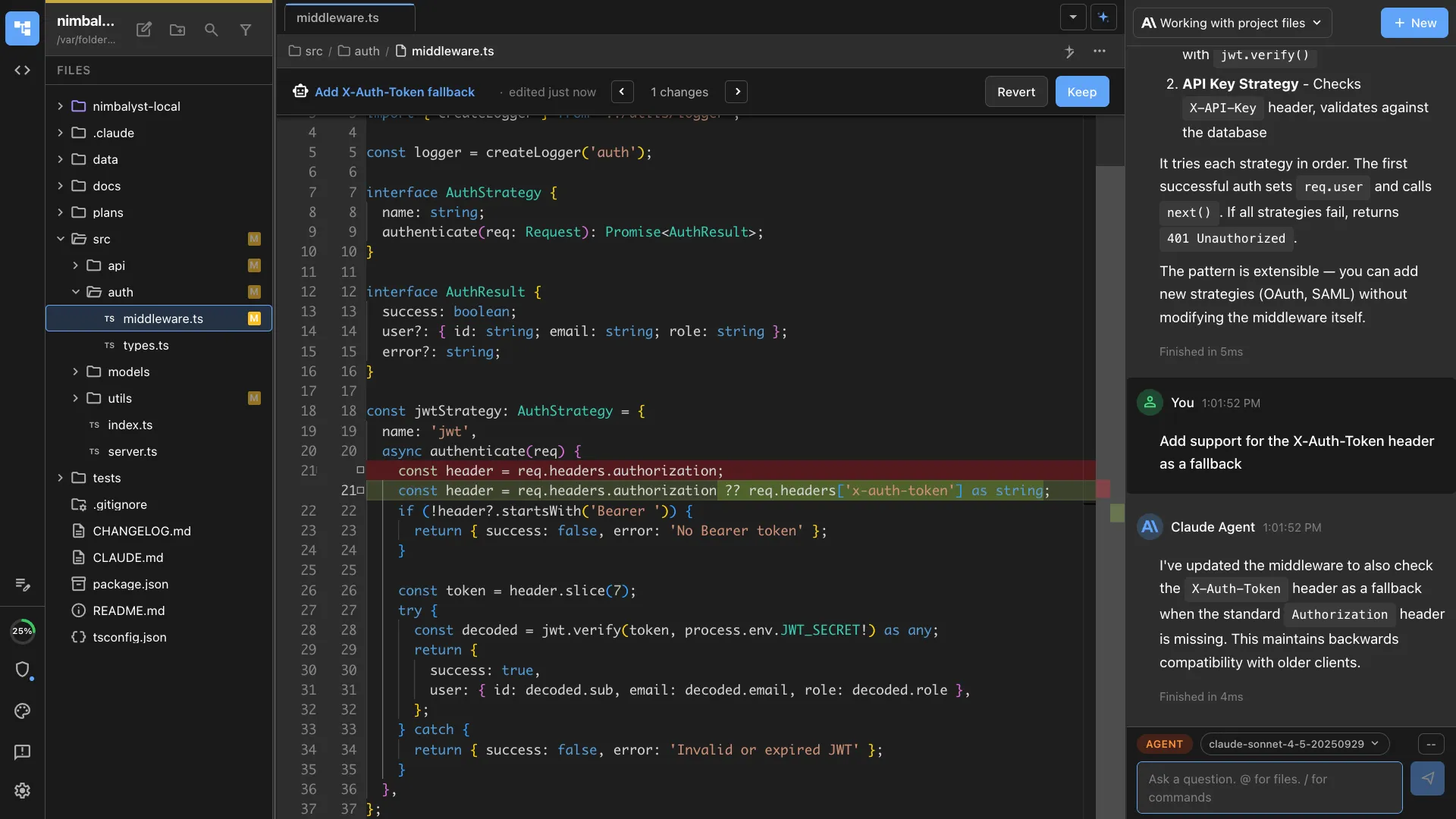
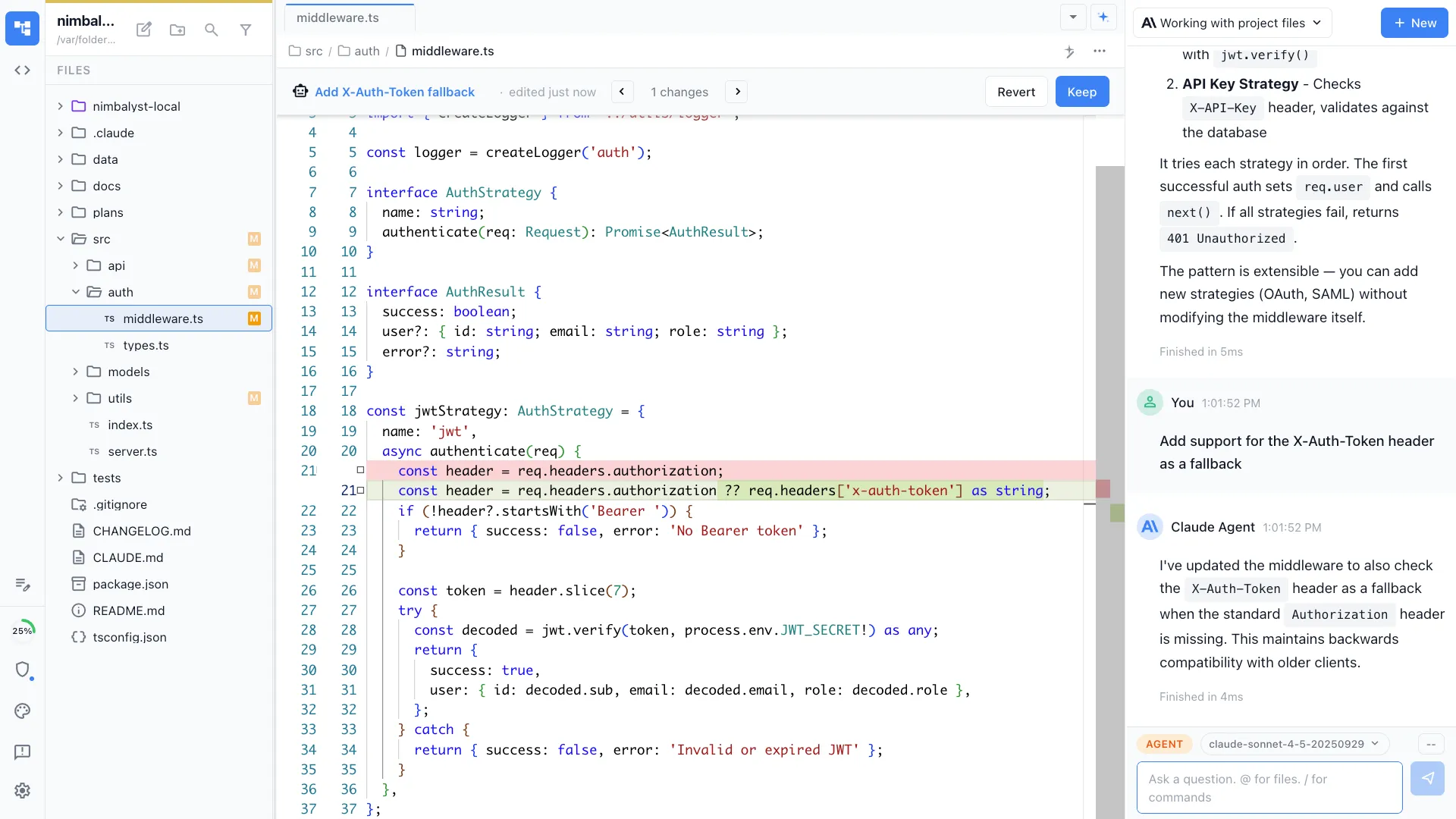
One review surface
Red and green diffs across docs, diagrams, mockups, and code, reviewed and approved in one place.
Open source
The Nimbalyst desktop and iOS apps are MIT licensed. Read the source, extend it, and run your agents in a workspace you can audit.
Comparison
One workspace vs a stack of tools
| Feature | Standalone tools | Nimbalyst |
|---|---|---|
| Docs | Google Docs, Notion, Confluence (separate) | Markdown, native to your agents |
| Diagrams | Lucidchart (separate) | Mermaid and data models, built in |
| Whiteboard | Miro (separate) | Excalidraw canvas, built in |
| Mockups | Figma (separate) | AI mockups that turn into code |
| Tasks | Jira, Linear (separate) | Tracker linked to sessions and code |
| Code | Separate IDE (VS Code, JetBrains) | Monaco editor, native to your agents |
| Agents see your artifacts | No | Yes: read, write, and act |
| Everything linked | Copy and paste between tools | One deeply linked graph |
| Sessions and prompts | Not applicable | First-class: searchable, managed, linked |
| Open source | Mostly closed | MIT desktop and iOS apps |
FAQ
Frequently asked questions
What does native to your coding agents mean?
Does Nimbalyst replace Notion, Miro, Lucidchart, Figma, Jira, and Google Docs?
Are Excalidraw and Mermaid built in?
Are sessions and prompts searchable?
Is Nimbalyst open source?
Learn More
Related guides and comparisons
Nimbalyst product overview
What Nimbalyst is, which agents it runs, and what it does, in one page.
Notion alternative
Docs and databases native to your coding agents.
Google Docs alternative
Code-aware docs native to your coding agents.
Confluence alternative
Engineering docs native to your coding agents.
Obsidian alternative
Markdown your coding agents read and act on.
Miro alternative
A whiteboard native to your coding agents.
Lucidchart alternative
Diagrams as code, native to your coding agents.
Figma alternative
Dev mockups your agent turns into code.
Jira alternative
Tickets that turn into agent sessions and code.
Linear alternative
Issue tracking that turns into agent work.
Nimbalyst is the open-source visual workspace for building with Codex, Claude Code, and more
Free for individuals. Works with your existing Claude Code or Codex subscription or API key.
Nimbalyst Teams is multiplayer. Your whole team, Codex, and Claude Code in one shared workspace.